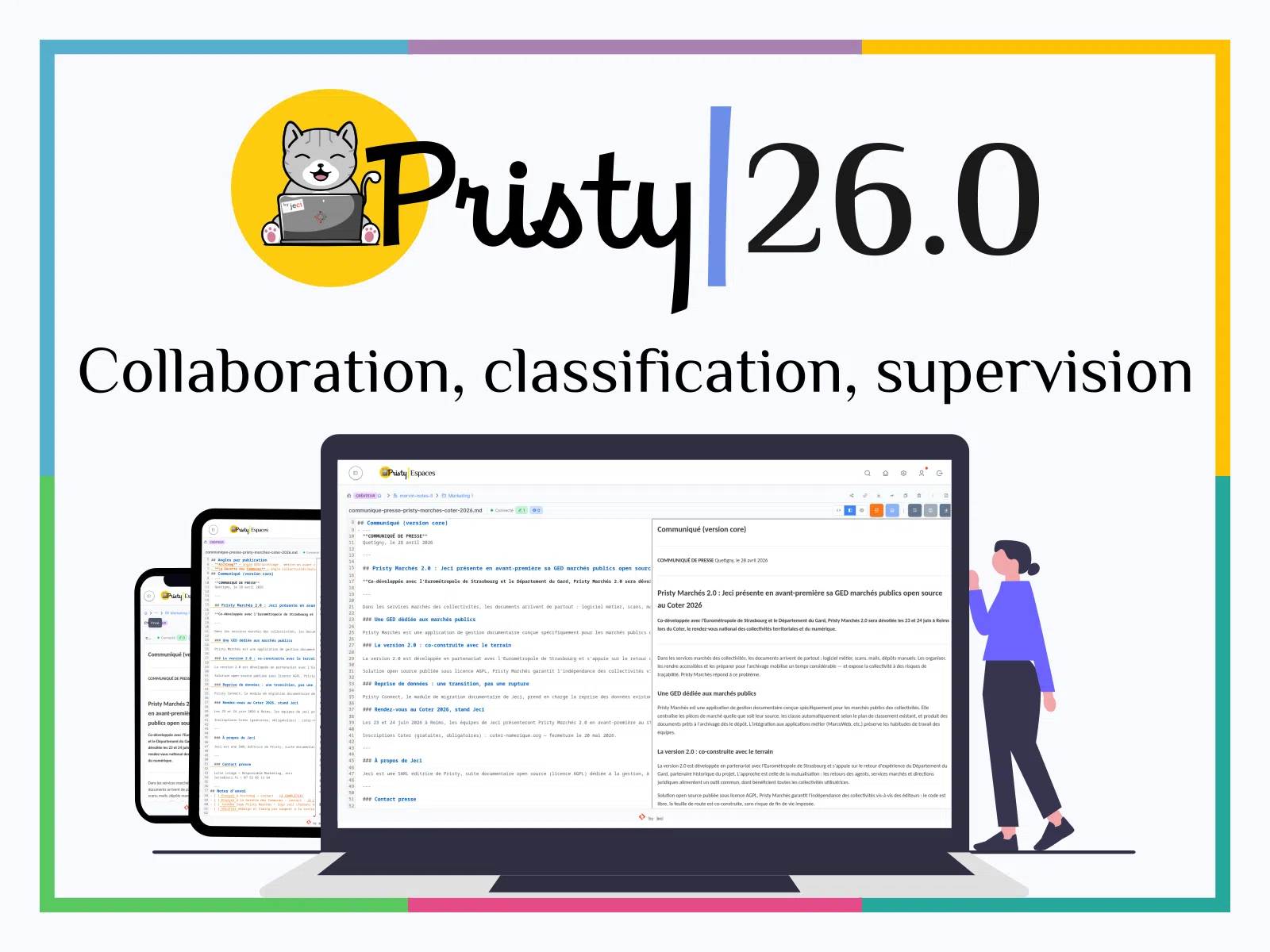
Pristy 26.0
Collaboration, classification, supervision — Pristy 26.0 is available
Pristy 26.0 is now available. Your teams can edit a Markdown document together in real time, reclassify documents as the classification plan evolves, and supervise their workspaces directly from the Portal. Concrete advances in digital accessibility and business team autonomy.
PRISTY
Release
26.0
Official release date: 27 April 2026
Contents
Pristy Espaces: classification and collaboration without limits
Espaces
Version
1.15.1
Real-time Markdown collaboration (beta)
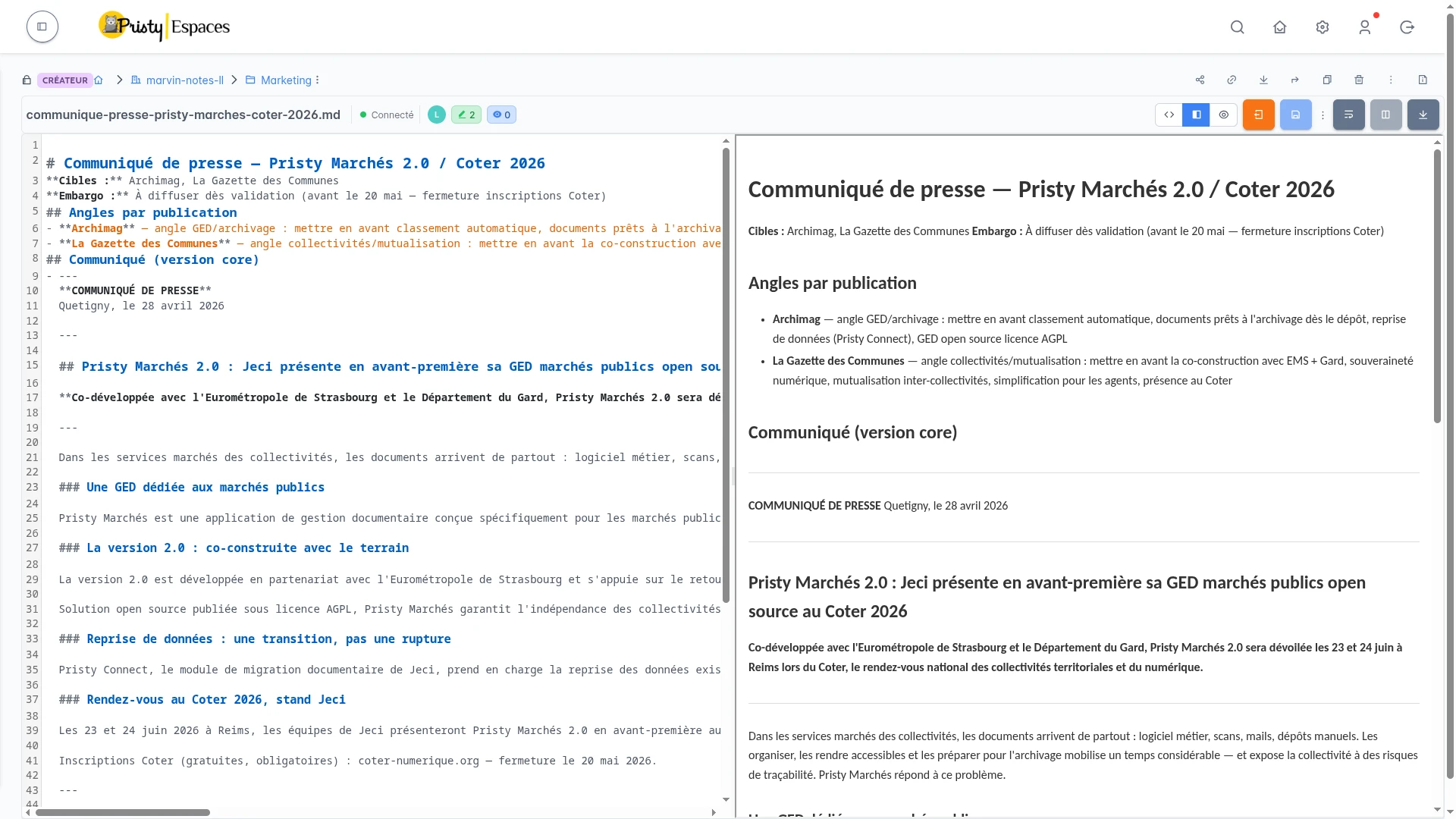
The standout feature of this version: multiple users can now edit the same Markdown document simultaneously, directly in Pristy. Every change is visible in real time to all participants — no version conflicts, no local copy, no external tool.
The editor handles concurrent connections via WebSocket, and remains the same CodeMirror editor you already use for your notes and knowledge bases. The feature is available in beta and can be enabled by administrators via the COLLAB_ENABLED parameter.
Ideal for shared meeting minutes, collective knowledge bases, or any document edited collaboratively in your DMS.
Classification plan — document reclassification
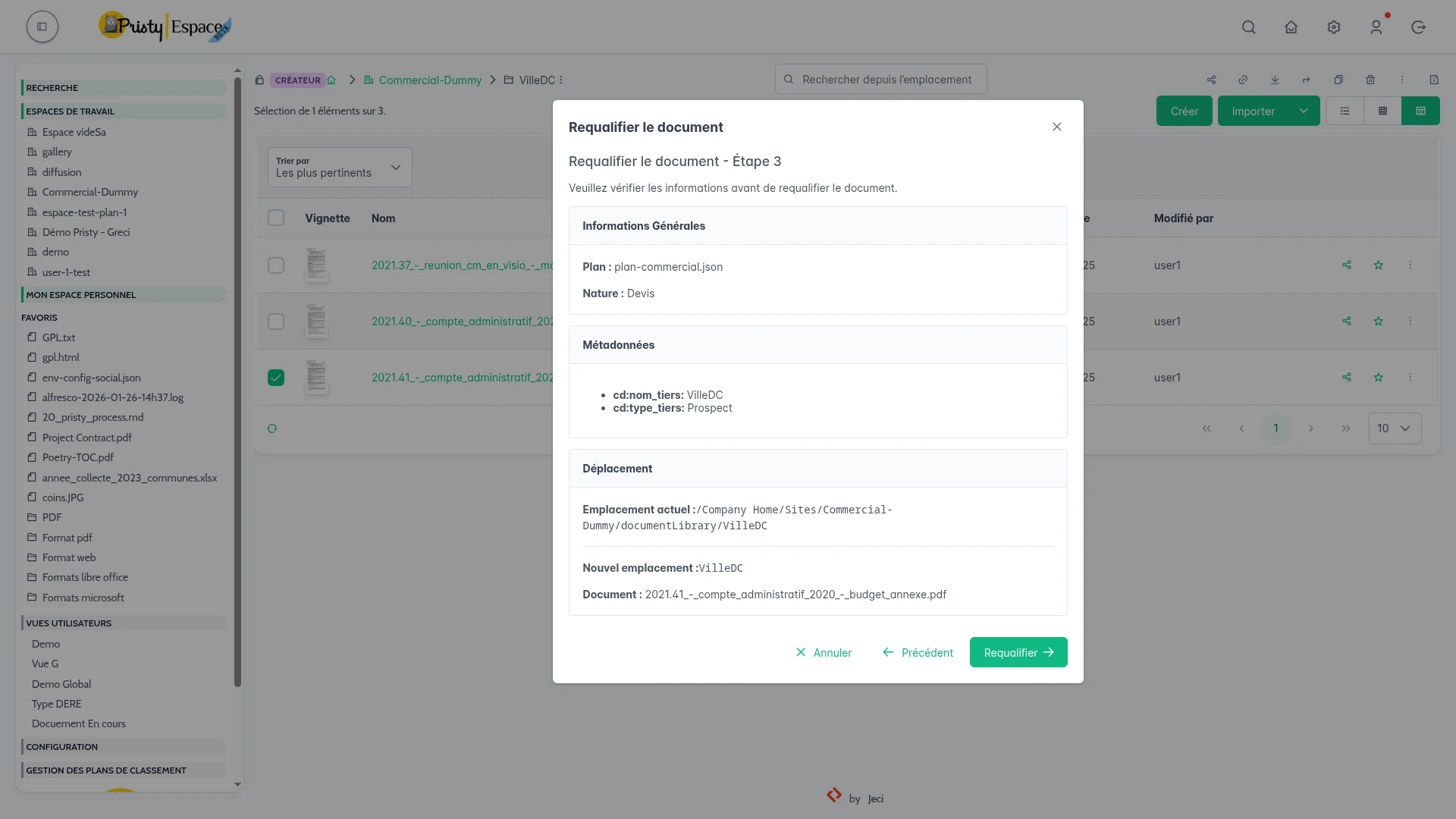
25.1 introduced the classification plan: automatic document organisation on upload. 26.0 takes the next step — reclassify documents already present when your plan evolves.
A new dedicated popup lets you reassign the document type of an existing document, reposition it in the correct hierarchy, and align your document collection with your current classification plan — document by document, without service interruption.
An evolving classification plan should not leave your archives orphaned. Pristy 26.0 closes that gap.
User views — advanced logic
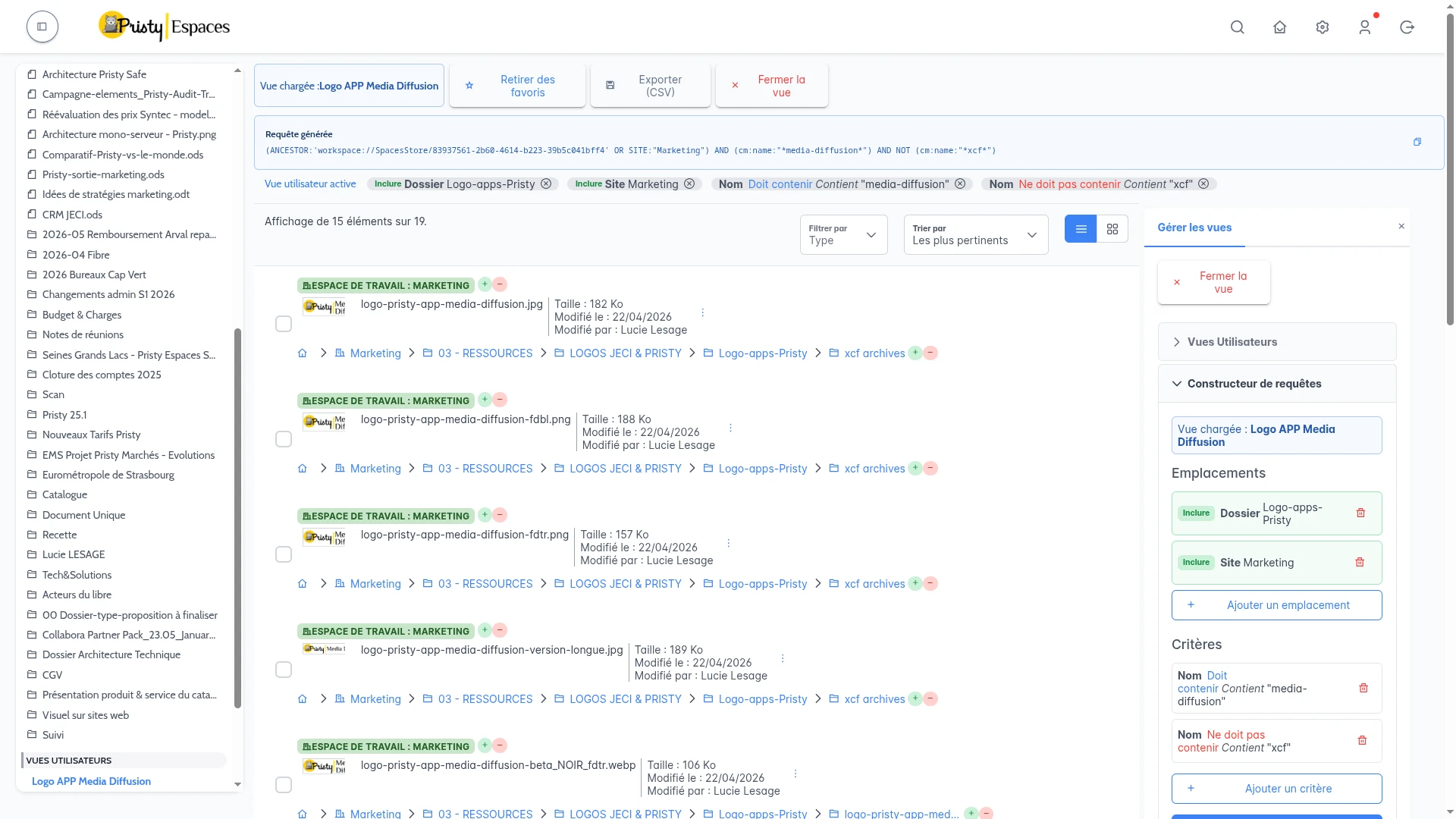
User views move up a gear. Introduced in beta in 25.1, they gain two advanced logical operators — OR and NOT — and the ability to query multiple workspaces simultaneously.
+ and − buttons in the breadcrumb let you refine or expand search locations in one click. Combine your criteria, traverse your spaces: your views, without limits.
PDF forms
Fill in, save, download — PDF forms take a major step in this version. Filled fields are saved automatically, with an alert if you leave without saving. And when a document is not in PDF format, Pristy can now convert and download it as PDF on the fly — without an external tool.
Pristy Portail: enhanced supervision and sharing
Portail
Version
1.4.1
Enhanced workspace administration
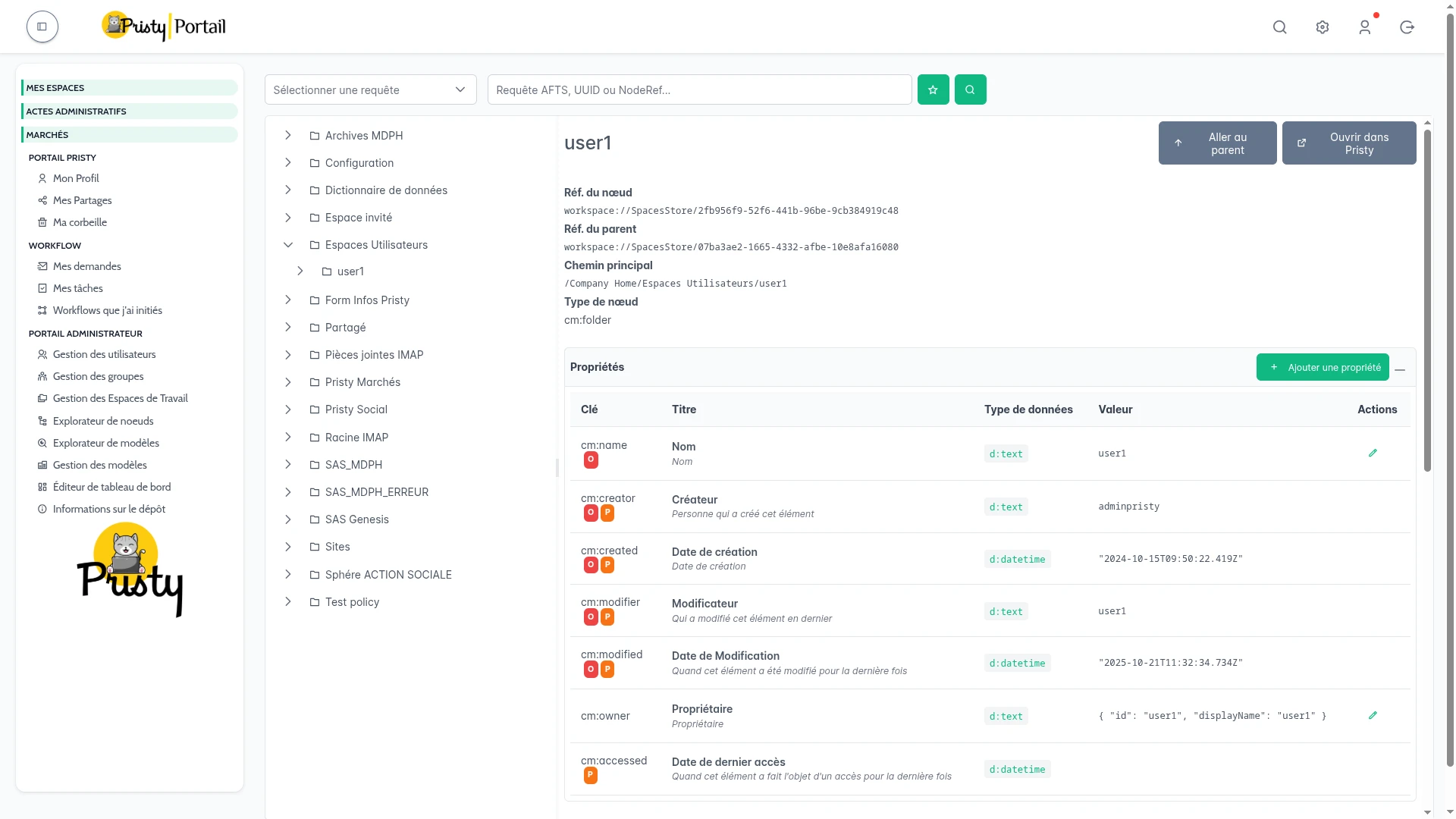
Pristy administration reaches a new level. 26.0 introduces a dedicated workspace management page directly in the Portal: overview of spaces, types, members and access requests — without leaving the business interface, without service interruption.
The administration interface is now clearly separated between the business view and the technical view, with menu visibility adapted to the role of the logged-in user. Your business teams gain autonomy; so do your administrators.
For technical teams, OOTBee Support Tools are now integrated into the Portal: cache management, active sessions, Log4J console, SOLR explorer, JavaScript console, scheduled jobs, transformation monitoring. Seven diagnostic tools accessible without direct server access, without restart — your team takes back control without mobilising infrastructure.
My Shares — all your links in one place
Share management becomes more readable. A new “My Shares” page groups all share links created by the user: view them, revoke them, track their usage — from a single space.
The preview page for shared links has also been completely redesigned, for a more polished experience on the recipient’s side.
Pristy Actes: mandatory document type on import
Actes
Version
1.9.3
In Actes, the document type becomes mandatory on import — ensuring classification plan consistency from the moment a file is uploaded. Description, title and act code are now displayed in table view, and member search has been optimised (migration to server-side search).
Accessibility: moving forward
Espaces
Version
1.13.0
Pristy 26.0 marks concrete progress on digital accessibility. Espaces 1.13.0 includes targeted RGAA fixes: ARIA labels on interactive components, revised heading hierarchy, improved colour contrasts, form labels and enriched accessibility tree. Ongoing work particularly relevant for organisations subject to RGAA obligations — public procurement, local authorities, public bodies.
Also…
Espaces
Portail
- Multi-file workflows — launch a workflow on a document selection simultaneously
- Task badge — an indicator on the profile icon signals pending tasks
- Enhanced dashboard — advanced favourites (folders, spaces, space filter), hideable persistent task calendar, activity history with duplicate grouping
- Collabora alert — warning before closing if a document is being edited
- User profile — contact info, groups and administrator badges visible from your profile
What’s next?
26.1 is coming
Espaces
Portail
- Collabora Online configuration from the administration interface — without modifying server files
- Simplified startup process and initialisation
- Migration to PrimeVue 4: redesigned menu and new theme management
Pristy Marchés 2.0: a new generation
Marchés
- New interface: dashboard, navigation by contracts and lots
- Integration of Pristy classification plan
- View by business profile: data entry agent, public procurement agent, finance agent
- Multi-entity management: city, metropolis, CCAS, and more
- Workspace and favourites management
- Dark mode and advanced personalisation
The major project underway at Jeci: Pristy Marchés 2.0, a deep redesign of the application dedicated to public procurement document management. Built on the proven foundation developed with the Gard Department, enriched in co-construction with the Eurométropole de Strasbourg.
Pristy Social: MDPH in co-construction
The MDPH module is taking shape within Pristy Social — developed in co-construction with the Gard Department to meet the specific needs of Departmental Houses for People with Disabilities.
Component versions
▼ View component versions
Frontend
| Component | Version | Date |
|---|---|---|
| pristy-libvue | 1.16.3 | 2026-04-19 |
| pristy-espaces | 1.15.1 | 2026-04-20 |
| pristy-portail | 1.4.1 | 2026-04-20 |
| pristy-actes | 1.9.3 | 2026-04-02 |
| pristy-marches | 0.7.1 | 2026-04-24 |
| pristy-social | 1.3.2 | 2026-03-23 |
Alfresco extensions
| Component | Version | Date |
|---|---|---|
| pristy-core | 3.3.1 | 2026-04-24 |
| pristy-kafka | 0.9.4 | 2026-04-19 |
| alfresco-collabora-online | 1.4.1 | 2026-04-20 |
| alfresco-markdown-transformer | 1.0.0 | 2026-03-16 |
| argile | 2.1.0 | 2026-03-03 |
| ootbee-support-tools | 1.2.3.1 | 2026-03-05 |
| pristy-init | 0.4.3 | 2026-04-24 |
| pristy-kafka-pdf-tampon | 1.0.0 | 2026-04-03 |
| pristy-marches-v2 | 2.1.0 | 2026-04-26 |
| visionneuse-genesis | 1.2.3 | 2026-03-26 |
Detailed changelogs
Any questions about this version?
Contact us
The information collected on this form are saved in a file processed by Jeci (4, rue Bartet - 21110 FAUVERNEY, info@jeci.fr, +33 9 72 38 21 92) in order to respond to your request for contact. To find out more about the management of your personal data and to exercise your rights, please refer to the notice attached to this link. The data marked with an asterisk in the questionnaire must be provided. Otherwise we will not be able to contact you. By filling in this form, you agree to the information entered being used for the purpose of the contact request.
Phone
09 72 38 21 92