
Pristy Audit Trail uses application-generated traces to monitor user actions, control document operations, produce usage statistics, and alert on breakdowns or incidents.


Pristy Audit Trail in a few key points
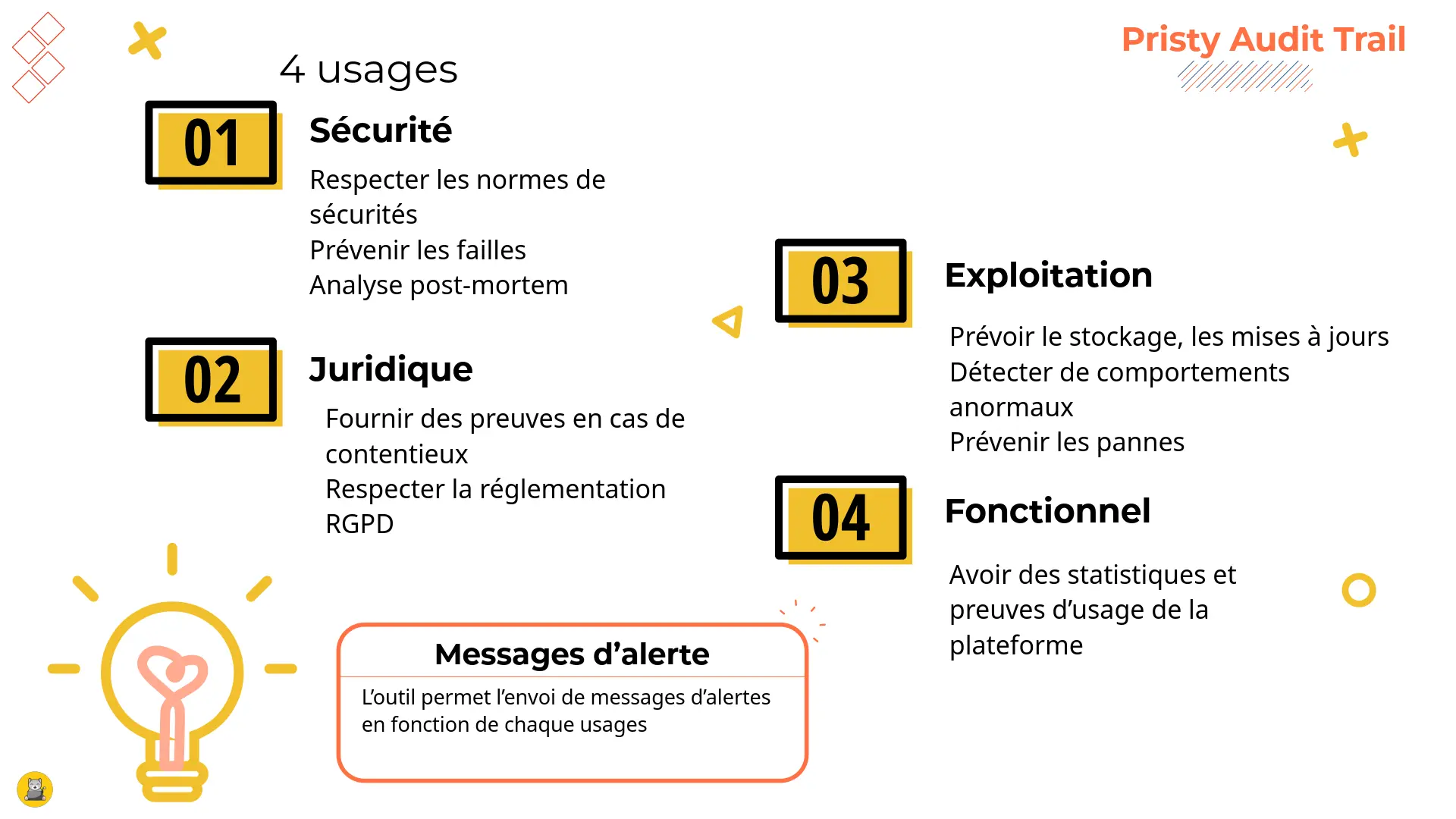
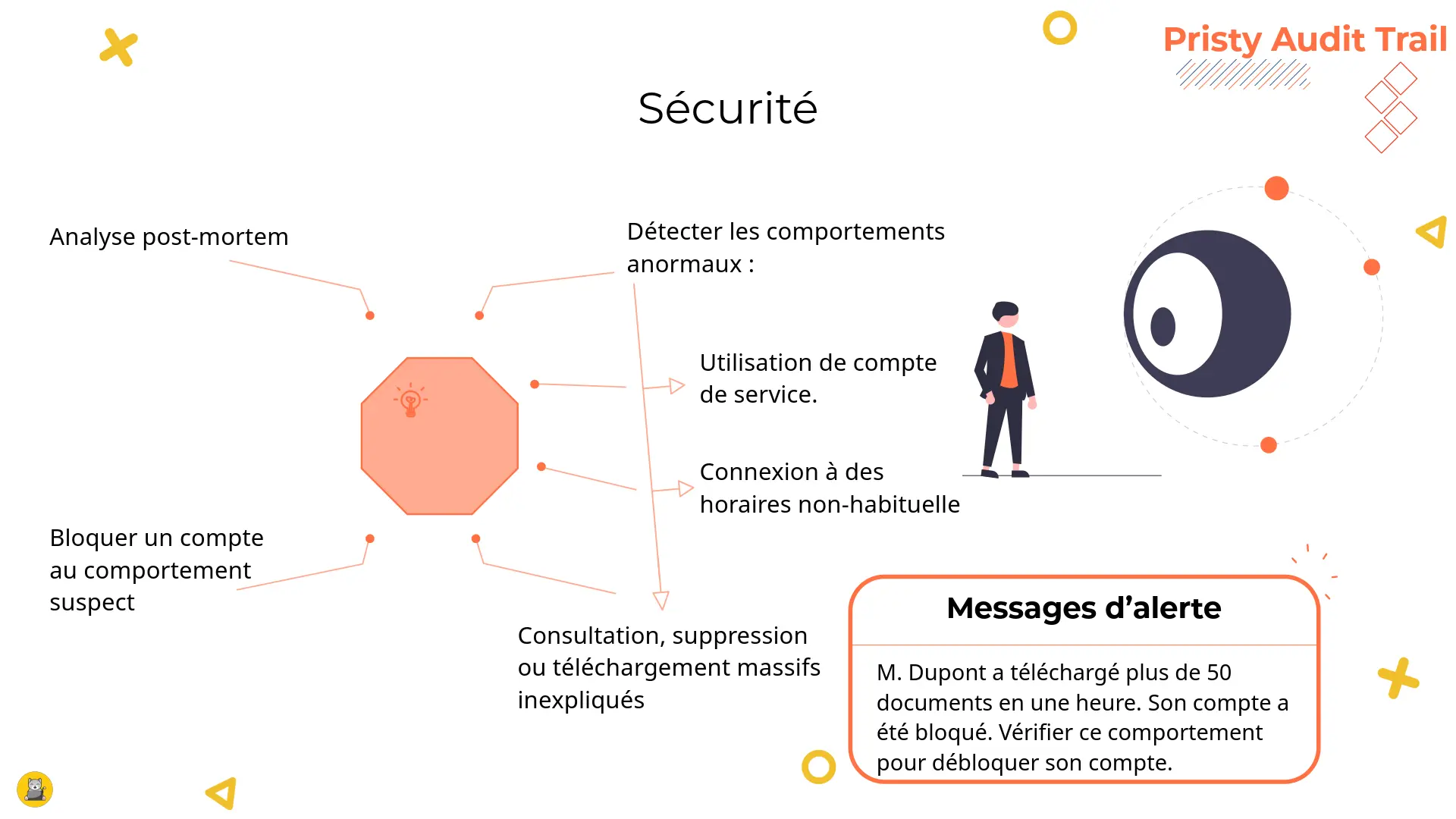
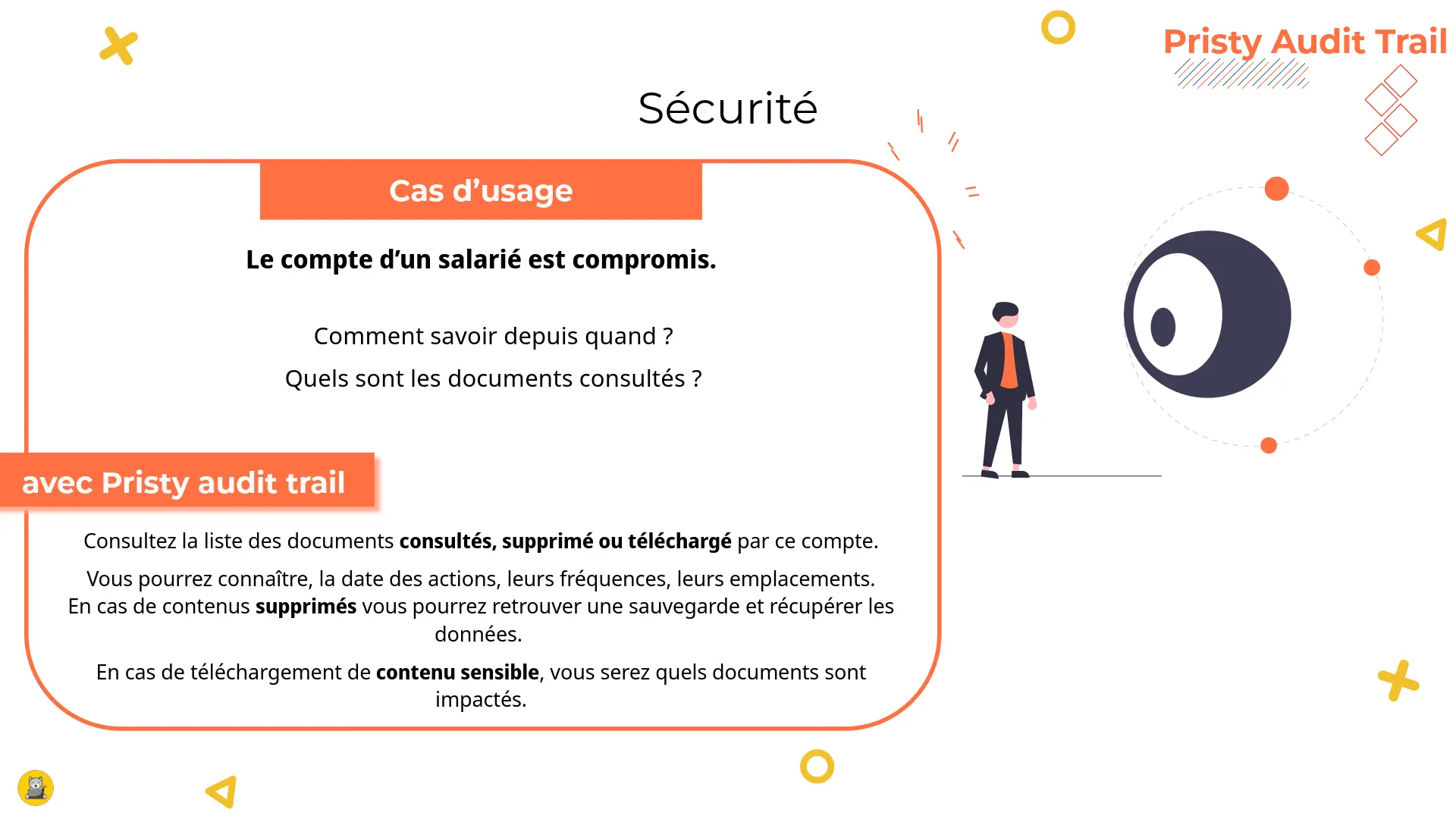
- security: detection of abnormal behaviour;
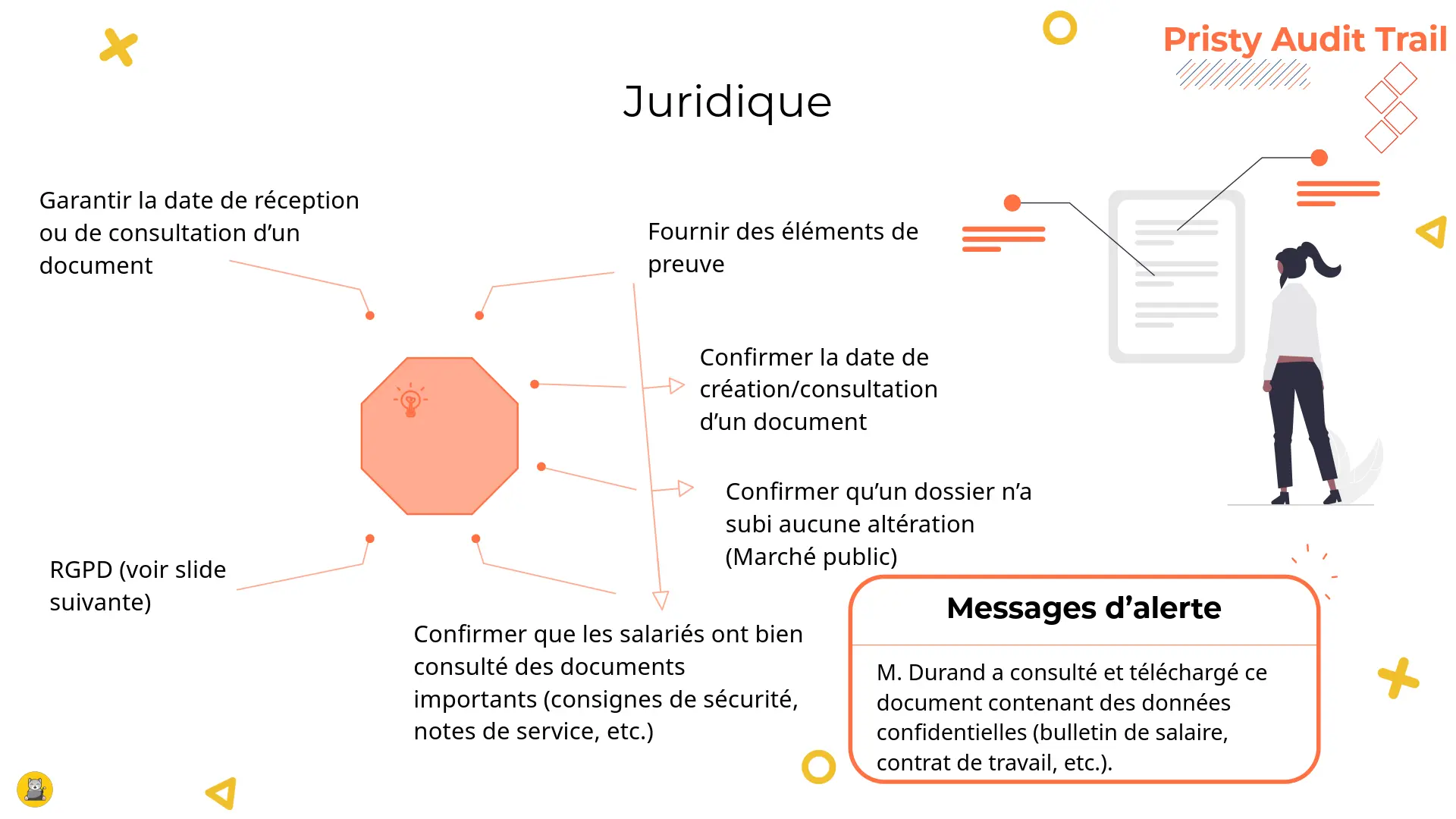
- legal: HR disputes over access to confidential data;
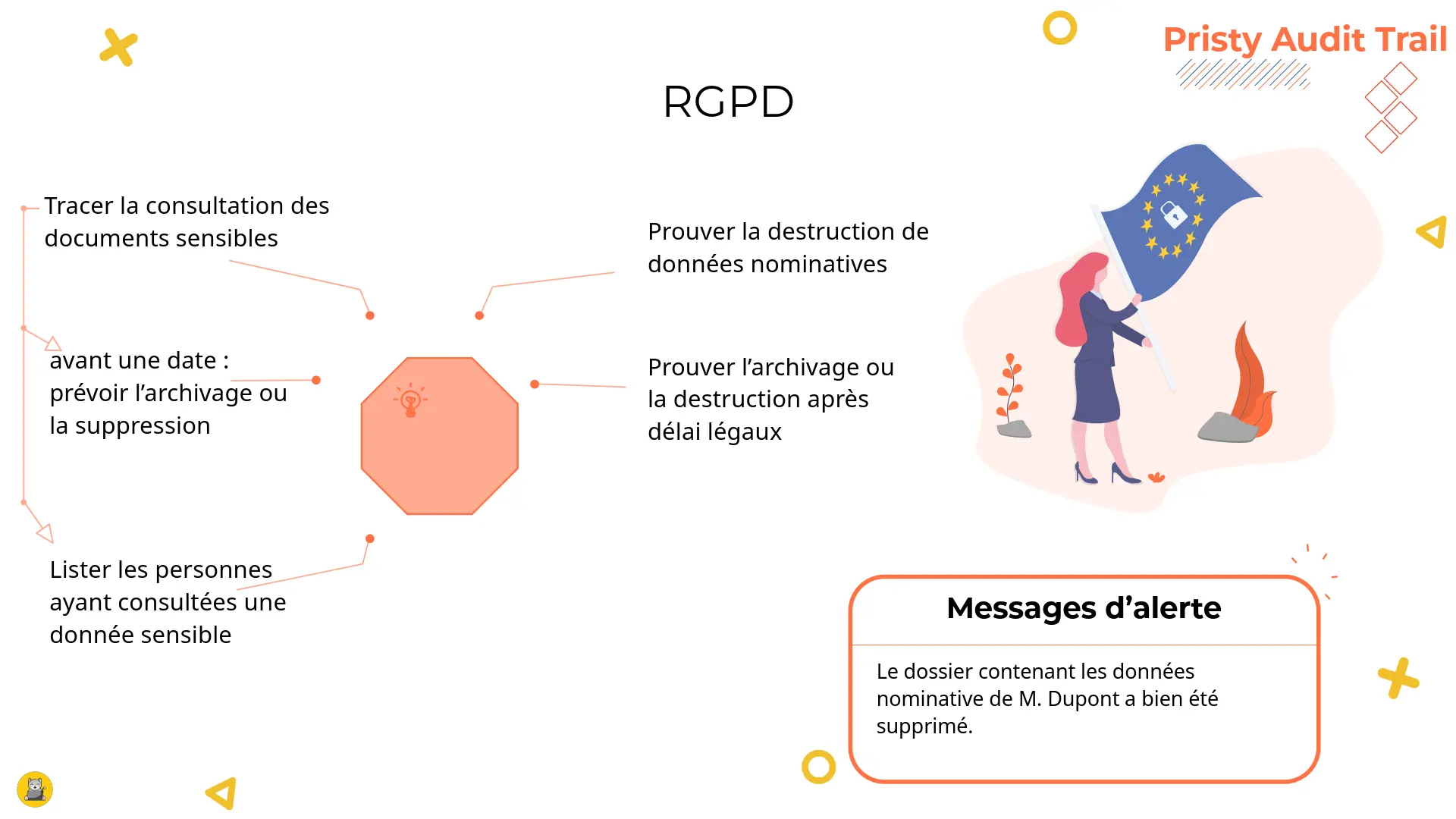
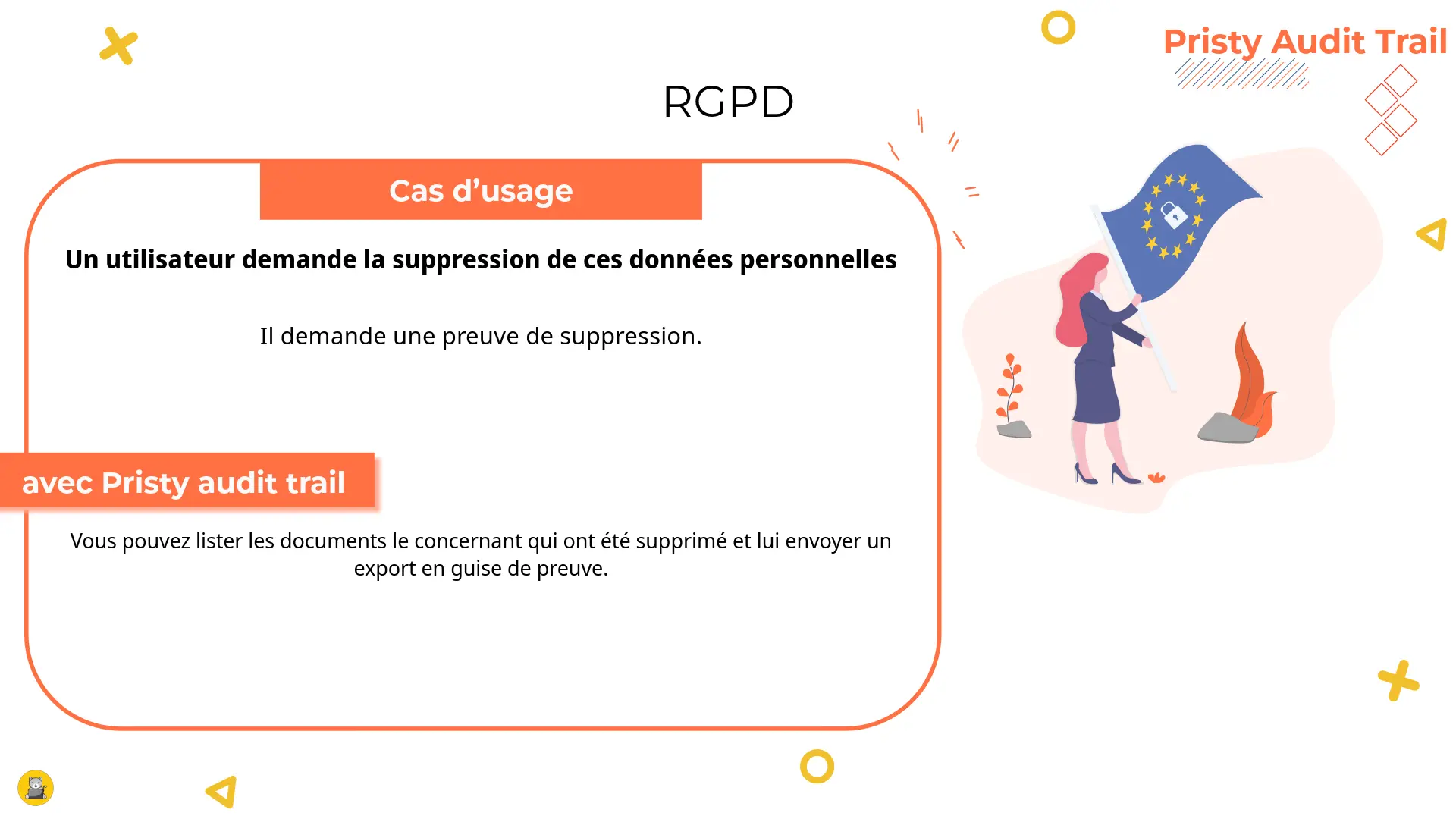
- regulatory: GDPR requirements for sensitive data;
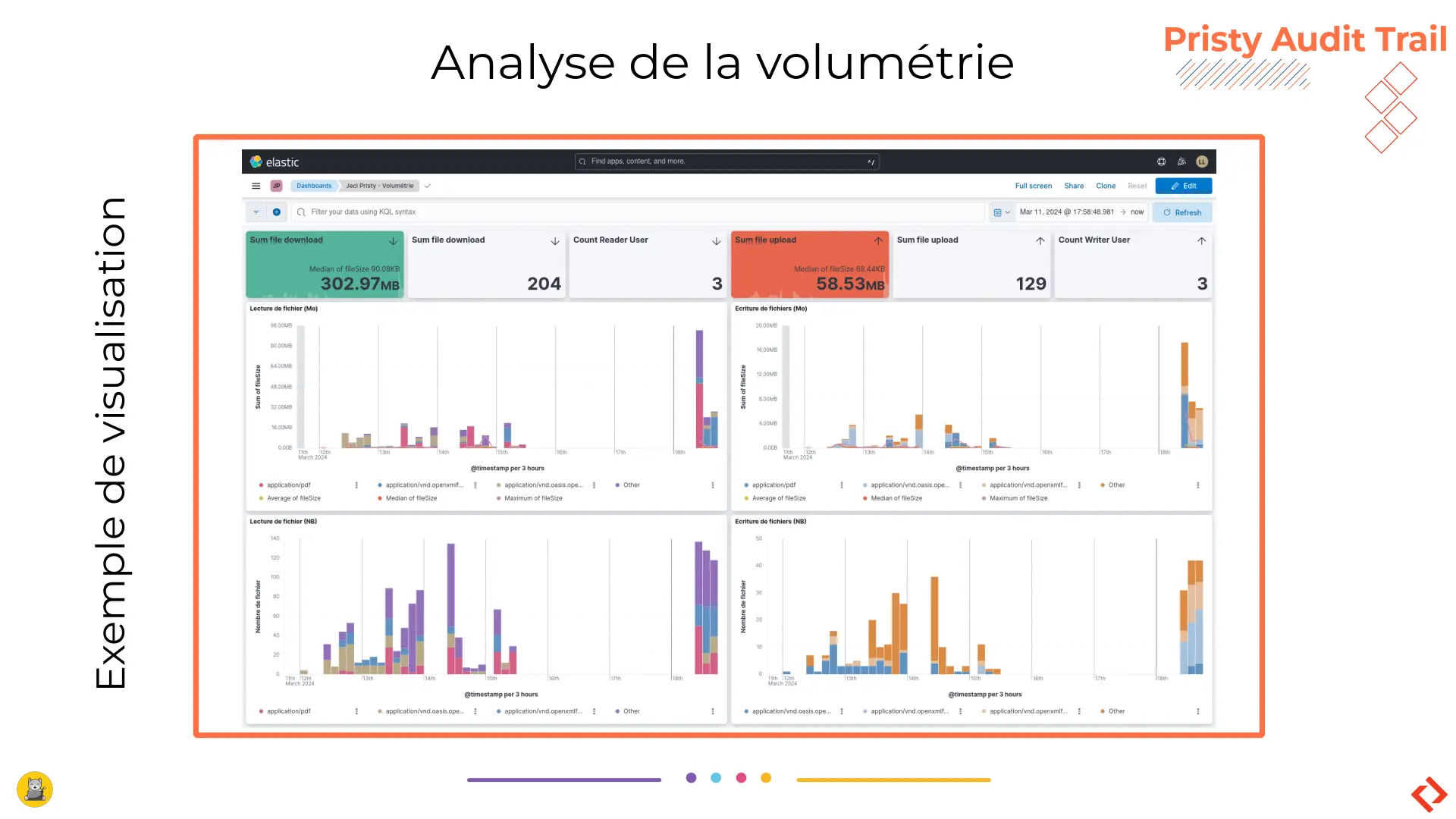
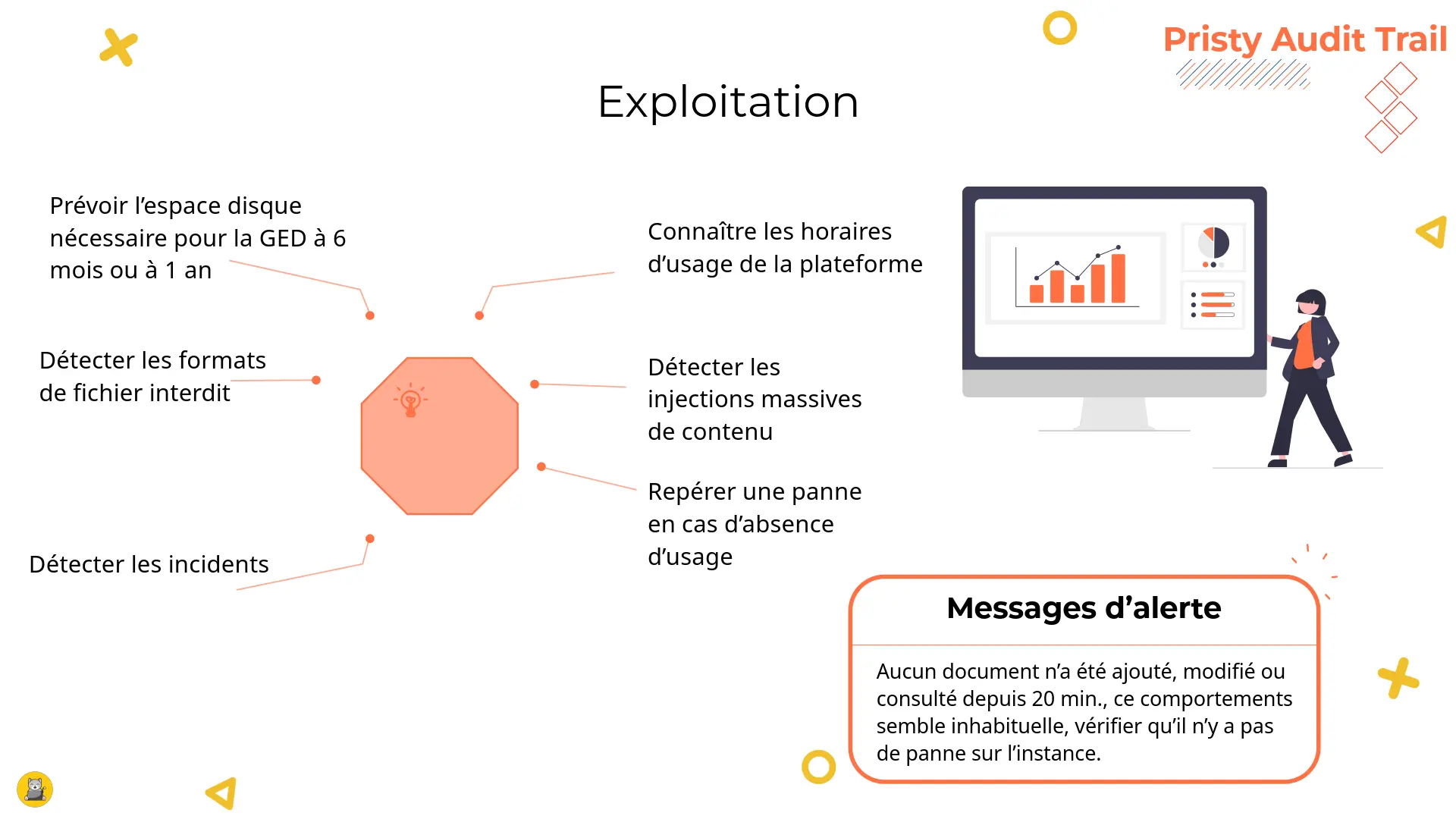
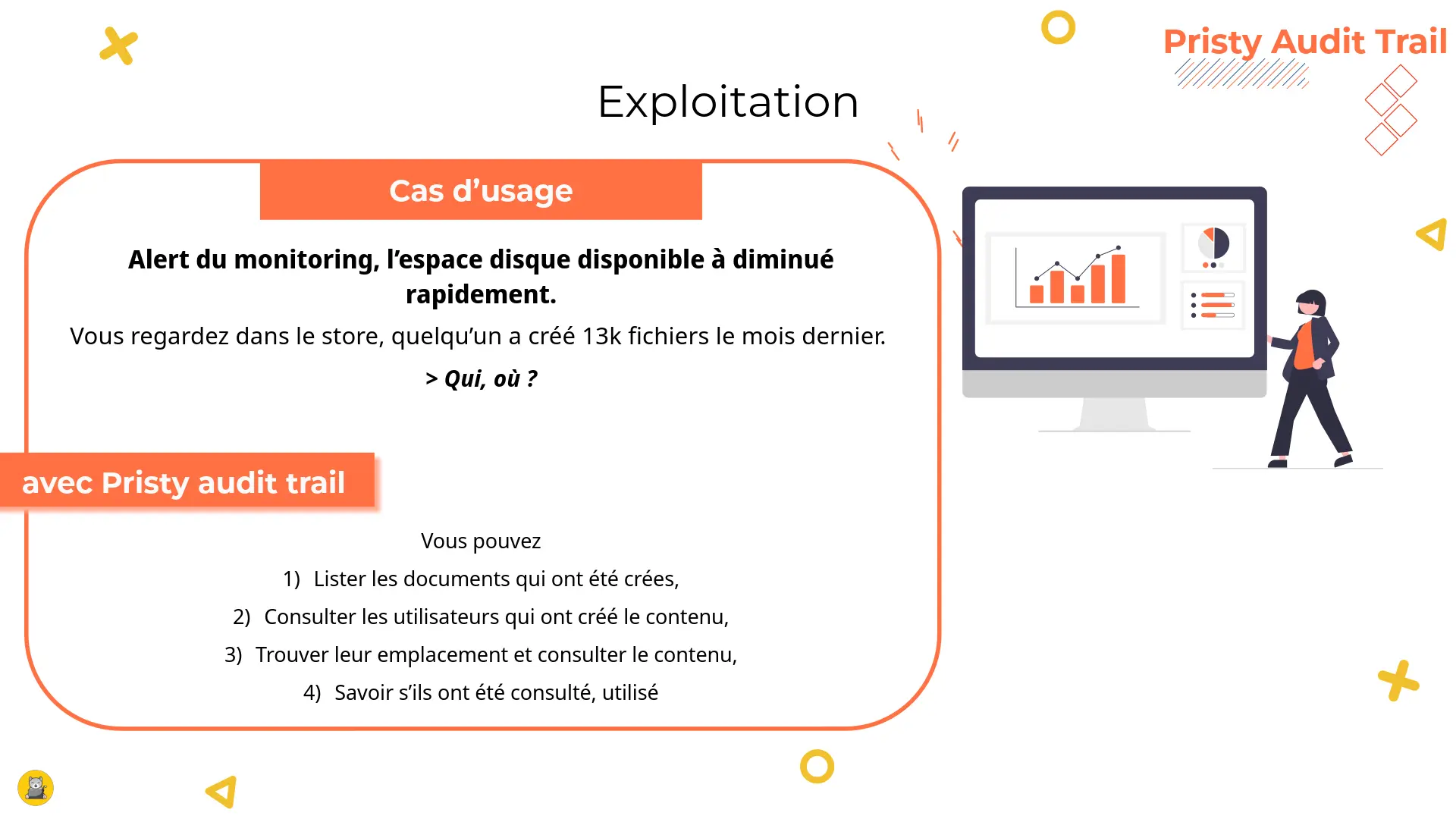
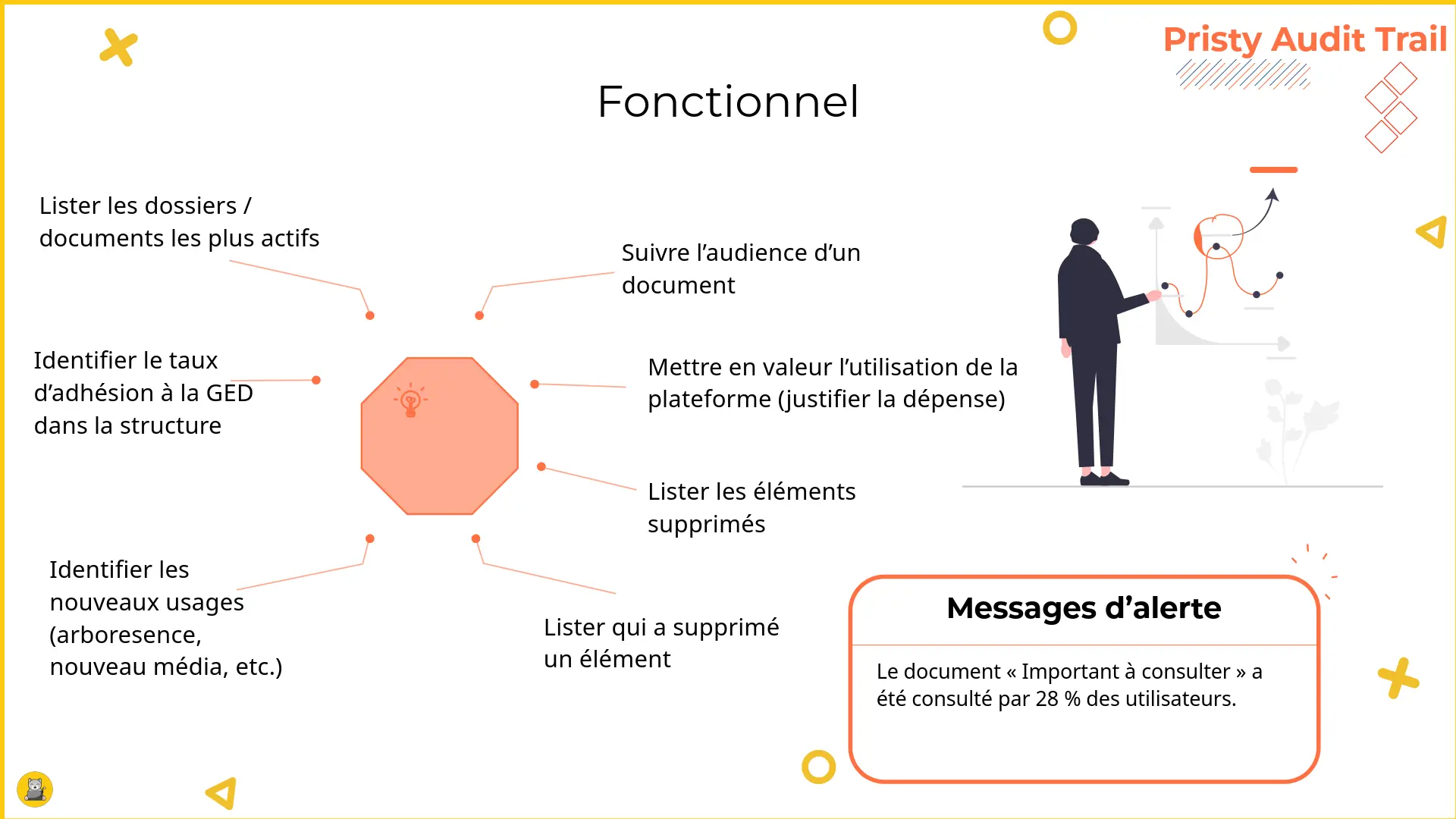
- functional: dashboard for monitoring platform usage
What’s it for?
Record traces of application usage and exploit them using graphs and other visualisations.
This meets the following needs:
- security: detection of abnormal behaviour;
- legal: HR disputes over access to confidential data;
- regulatory: GDPR requirements for sensitive data;
- functional: dashboard for monitoring platform usage
You can therefore:
- List access to documents and detect abnormal behaviour. Analyse usage and user behaviour.
- Help with GDPR compliance, particularly for sensitive data.
- Monitor platform usage: know what is being used so you can make adjustments.
Video presentation:
Presentation of Pristy Audit Trail, at RPLL 2024.
Note: This video is in French.
Watch the original on the PLOSS-RA video platform.
Compatibility:
Pristy Audit Trail is compatible with Alfresco Community and Enterprise, and is an alternative to the Alfresco audit solution. A more comprehensive module that offers more functionality while reducing the load on the application server.
Visual dashboard
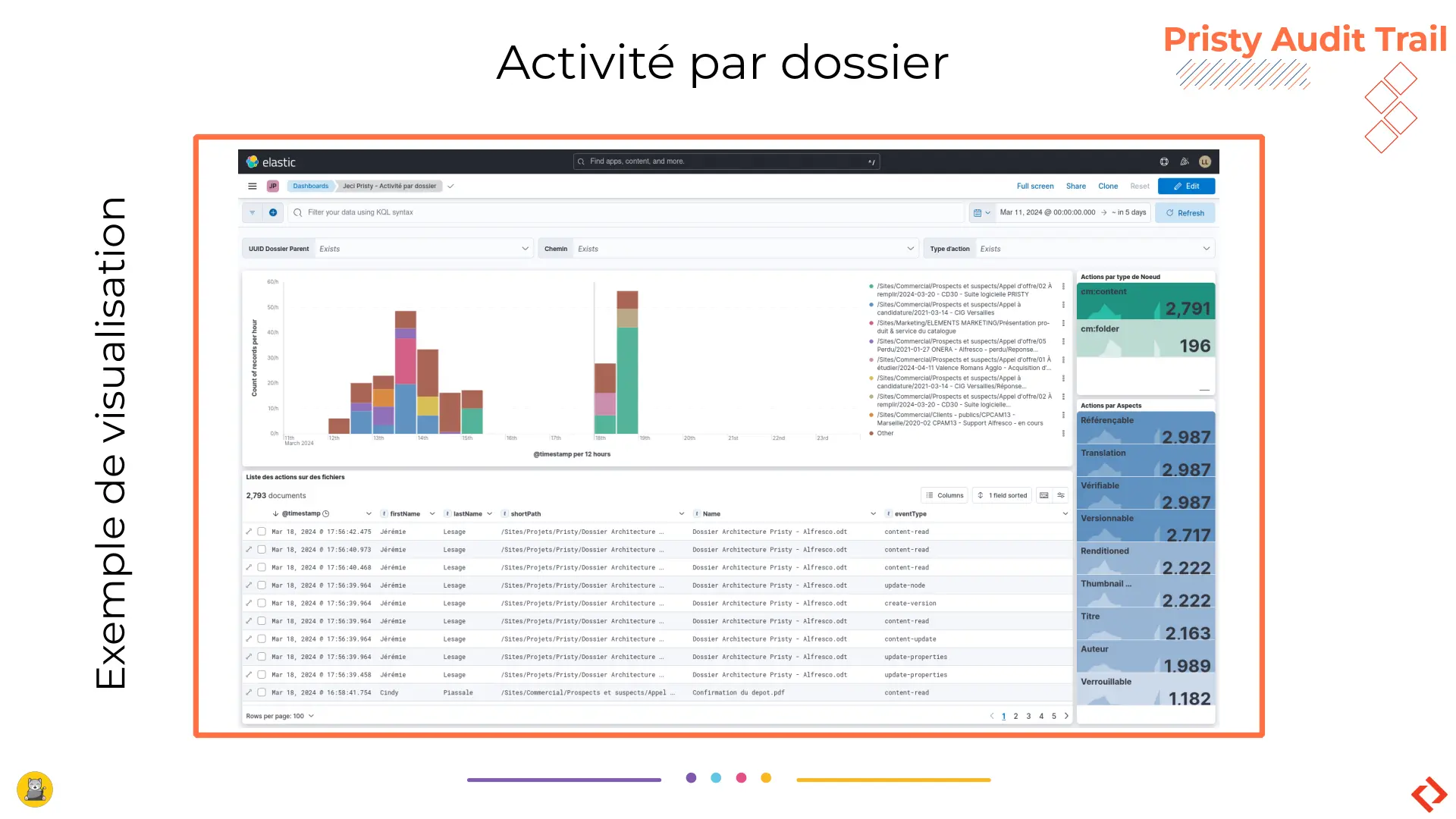
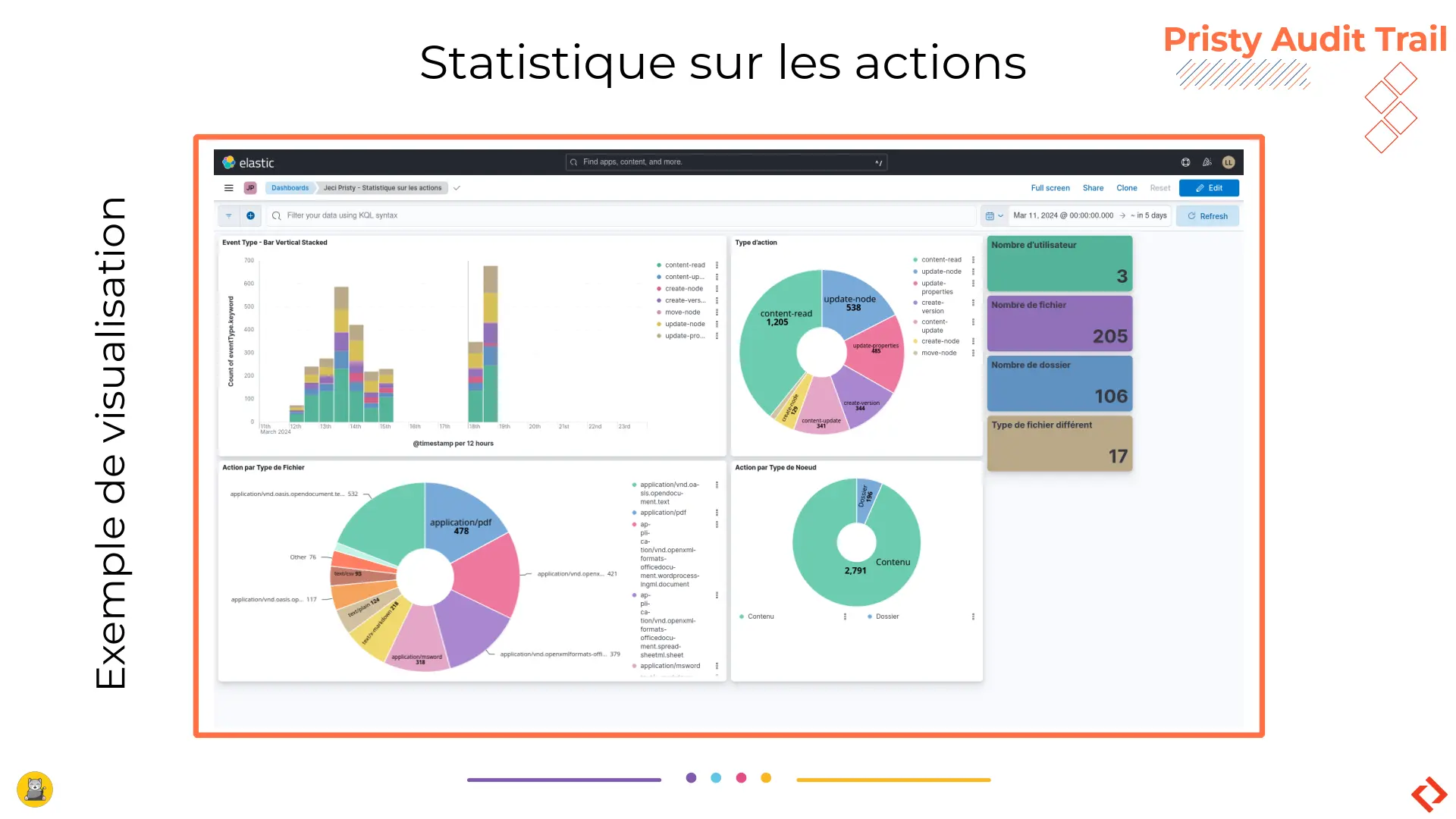
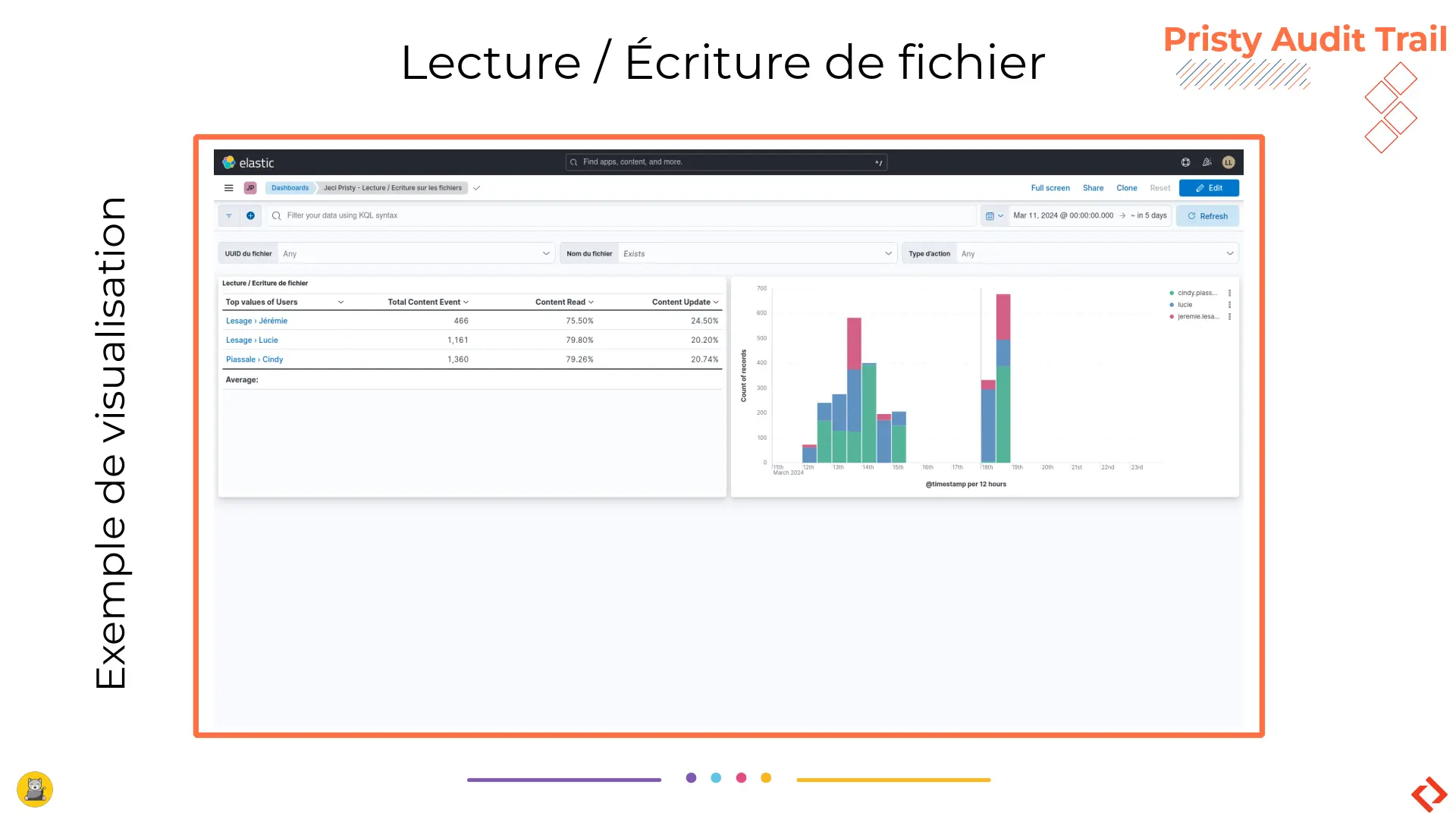
This content can be analysed in a Kibana dashboard. The dashboard contains clickable analytical graphs.
Filtered and searched content, on a user for example, can be exported as a PDF.
Technical side
To trigger external processes, we record EDM events in Kafka topics. This is the solution used by our automatic OCR module.
This application is based on this technology. Every user action - creating, deleting, modifying, reading, downloading - is recorded in a Kafka topic. This ensures that actions on documents can be traced.
The content of the logs is then exported to an Elasticsearch cluster for analysis via queries in Kibana.
Practical use cases
4 use cases: security, legal (& GDPR), operations, functional
Security
Legal

GDPR
Operations
Functional

Ask for a quote!
Contact us
The information collected on this form are saved in a file processed by Jeci (16 Rue du Cap Vert - 21800 Quetigny, info@jeci.fr, +33 9 72 38 21 92) in order to respond to your request for contact. To find out more about the management of your personal data and to exercise your rights, please refer to the notice attached to this link. The data marked with an asterisk in the questionnaire must be provided. Otherwise we will not be able to contact you. By filling in this form, you agree to the information entered being used for the purpose of the contact request.
Phone
09 72 38 21 92
How to get Pristy
Order Pristy today and benefit from modern, intuitive document management
Pristy also includes Pristy Portal application that offers profile and user pages. Pristy Portail is included with the purchase of Pristy Actes and Pristy Espaces (solo or together). Pristy Portail can also be purchased on its own.
Go to our rates page to find out more. Request your quote now and take advantage of our low rates and the chance to give your opinion on future features!
Eager to try Pristy sign up for our demo!
Our applications
Foundation: Pristy EDM


Business applications



Solutions around EDM


Unlock your investment budgets and have Pristy develop at your convenience
The digital world has accelerated in the last 2 years.
- Missing an application?
- Does the system you have in place no longer meet your expectations or needs?
Unlock your investment budgets to finance the development of business applications (free and sovereign!) that meet the needs of your users.