New Applications
With version 25.0 of Pristy, we are introducing three new applications, each designed to meet specific business needs. These applications enrich our document management suite by providing dedicated features, while integrating perfectly into the Pristy ecosystem.
Table of Contents
1. Pristy Social: document management for social cases

Pristy Social has been specifically developed to facilitate document management of social cases. This module offers an improved PDF viewer with the ability to navigate between documents using keyboard shortcuts, allowing quick and efficient case viewing.
Another key feature of Pristy Social is the automatic document classification according to a pre-defined and evolving filing plan. This system ensures consistent and simplified document organization. On the home page, a minimalist dashboard allows you to quickly find a case by name or number.
Pristy Social currently includes two specific business modules:
- AMAF Module: for managing Childminder and Family Assistant files.
- ASE Module: dedicated to Child Welfare Services, with user case management and connection to the solis business tool.
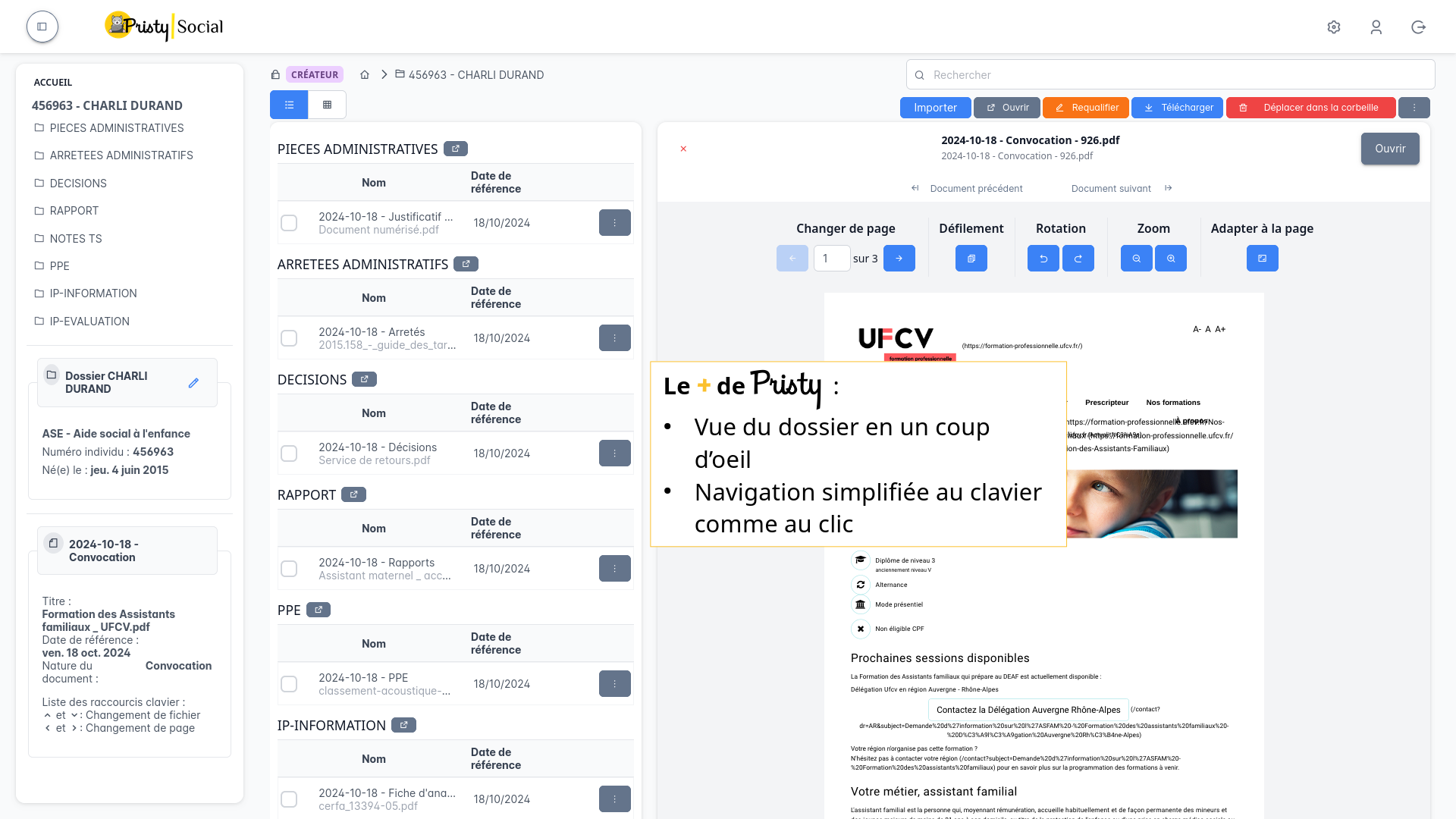
These features ensure complete document management that meets the requirements of social work professions.
This application was developed with the support of the Département du Gard.
2. Pristy Marchés: document management for public procurement

Pristy Marchés is an application dedicated to public procurement document management. It allows complete management of tenders, lots and periods, while respecting a pre-established filing plan to facilitate document access and archiving.
This application includes practical features, such as:
- The ability to automatically classify documents according to the filing plan.
- A rights and permissions management interface by group to ensure complete control over document access.
- A search adapted to procurement metadata, allowing you to quickly find a file based on criteria such as contract number, date, or contract type.
- Integration with the marco web business tool
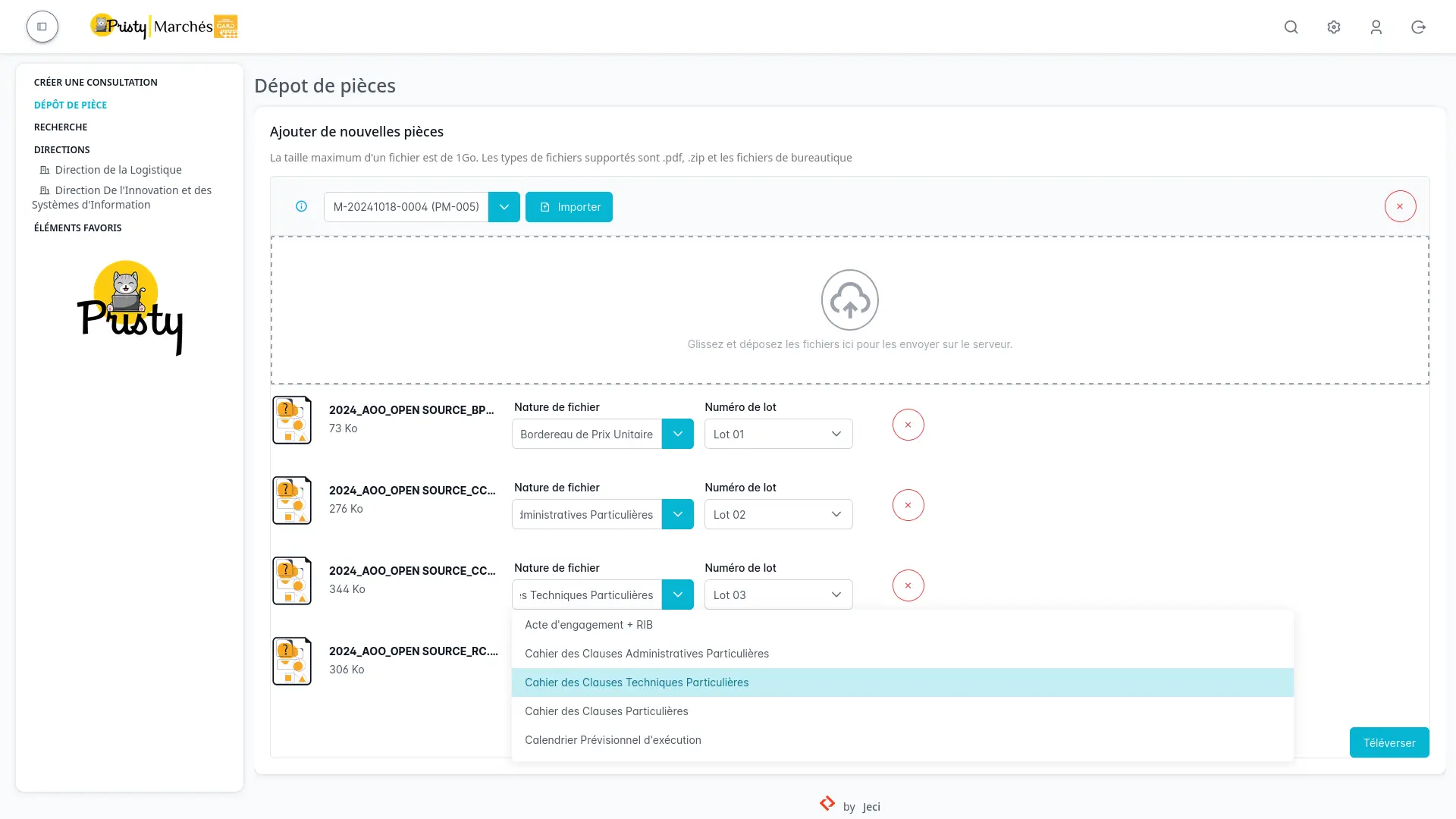
Pristy Marchés thus facilitates the monitoring of public procurement procedures, while optimizing the archiving of documents related to these processes.
This application was developed with the support of the Département du Gard.
3. Pristy Connect: integration tool between Pristy and business applications

Pristy Connect is a tool designed to facilitate integration between Pristy and external business applications. This tool allows you to connect Pristy with third-party systems and automate the exchange of documents and data between these systems.
One of the main use cases of Pristy Connect is the Solis connector, which allows automatic opening and integration of documents from the Solis business application into Pristy. This includes automatic sending of documents and their metadata, ensuring rapid and secure information transfer.
This feature allows Pristy to be used across different business sectors, while ensuring interoperability with tools already in place in the organization.
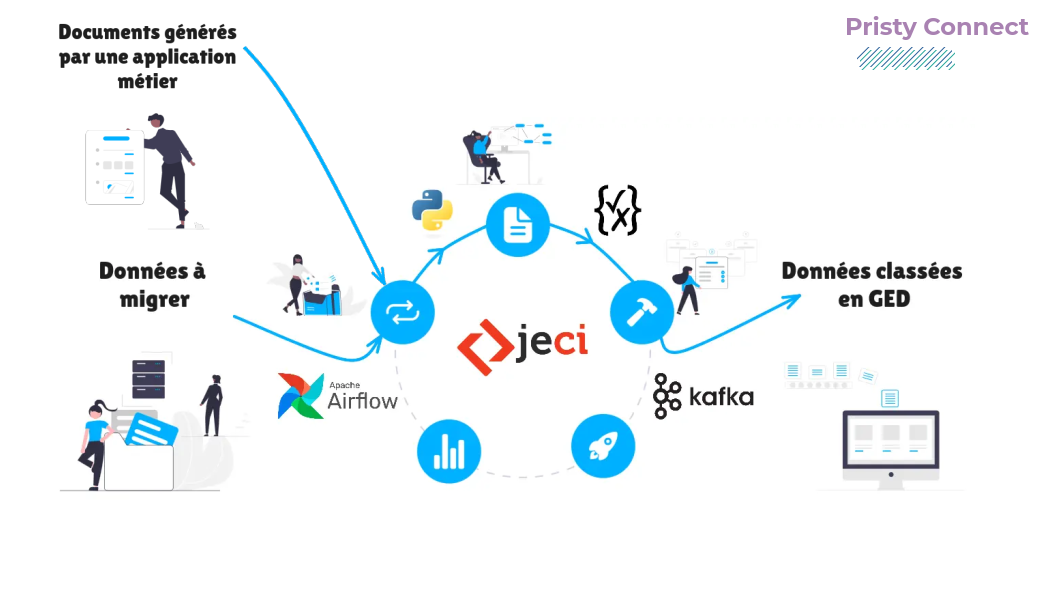
Massive data migration
Pristy Connect has another use: massive data migration.
This allows you to retrieve data from an existing EDM and then import it in bulk into the new EDM. This is done while preserving metadata including creation date. Migration can also be an opportunity to change the structure of a filing plan. Pristy Connect allows migration without interrupting your services or overloading your servers, even when processing millions of items.
These new applications make Pristy a cross-functional EDM, thus meeting the specific needs of different sectors while facilitating integration with external tools.
Discover the other new features of this version in our articles dedicated to new applications and specific improvements to existing modules:
Questions?
Contact us
The information collected on this form are saved in a file processed by Jeci (16 Rue du Cap Vert - 21800 Quetigny, info@jeci.fr, +33 9 72 38 21 92) in order to respond to your request for contact. To find out more about the management of your personal data and to exercise your rights, please refer to the notice attached to this link. The data marked with an asterisk in the questionnaire must be provided. Otherwise we will not be able to contact you. By filling in this form, you agree to the information entered being used for the purpose of the contact request.
Phone
09 72 38 21 92