User Experience Improved
Pristy 25.0 focuses on improving user experience and user journey through several new features aimed at making document viewing and management more fluid and accessible.
Table of Contents
1. New PDF viewer and improved navigation
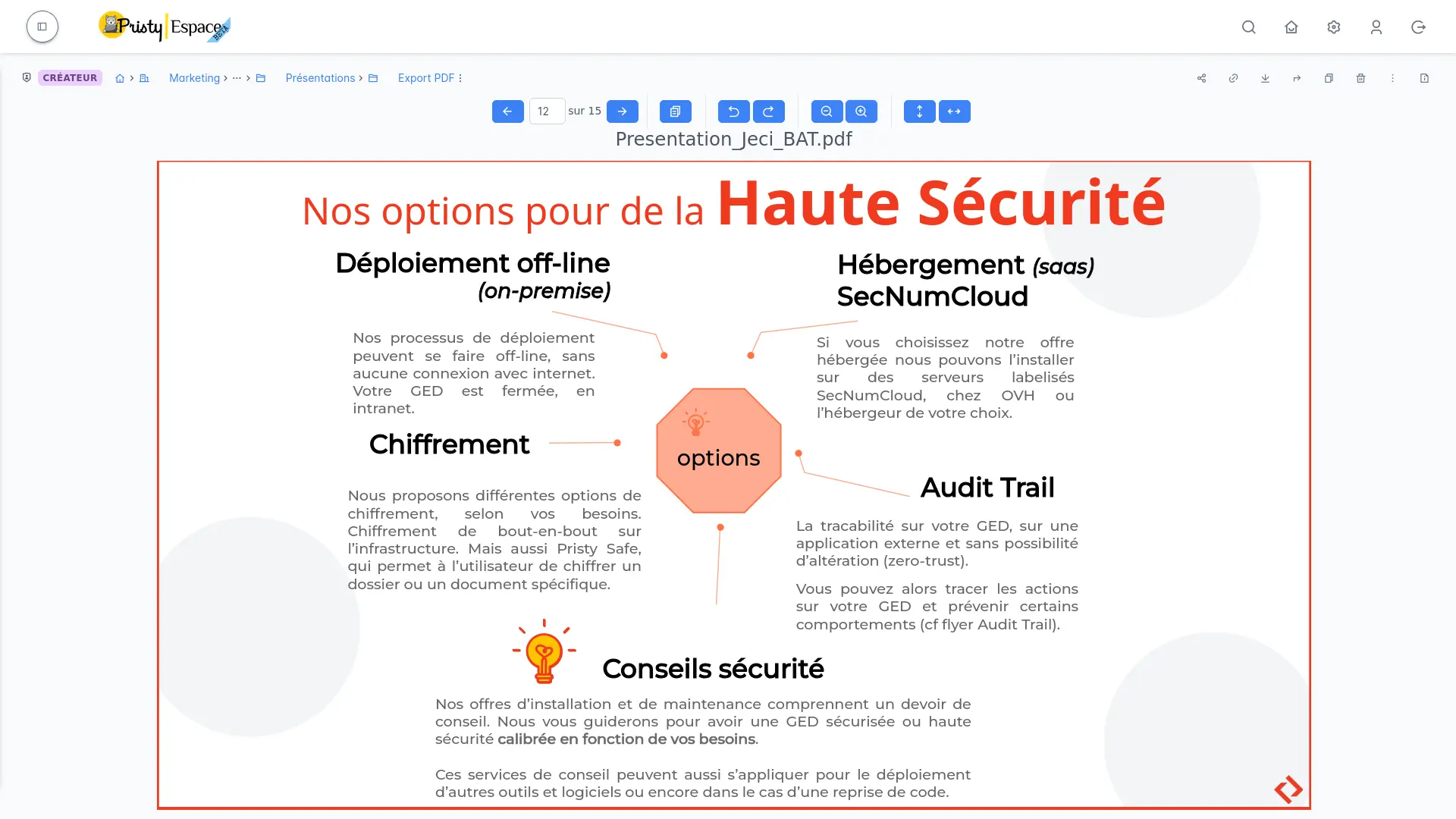
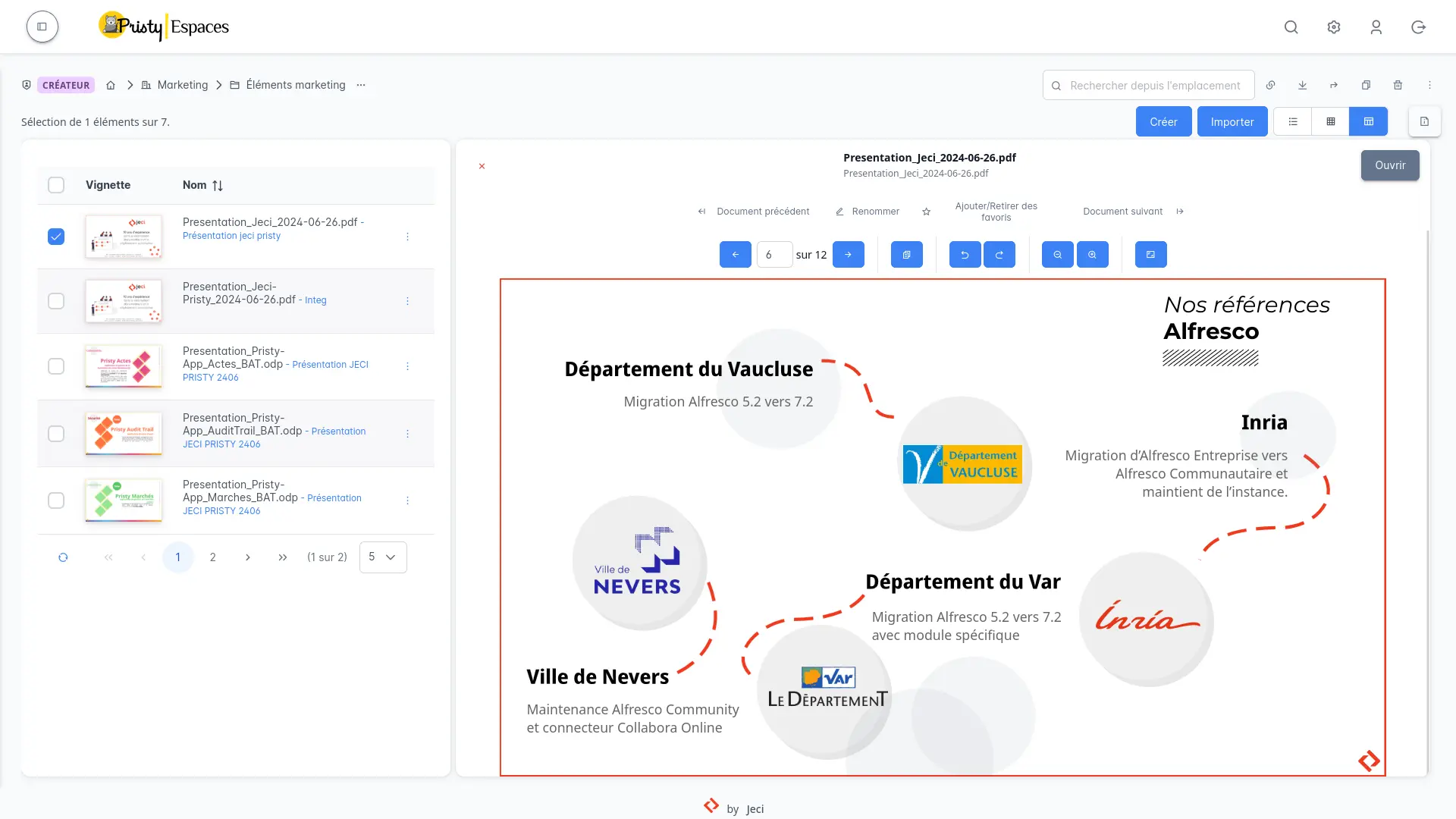
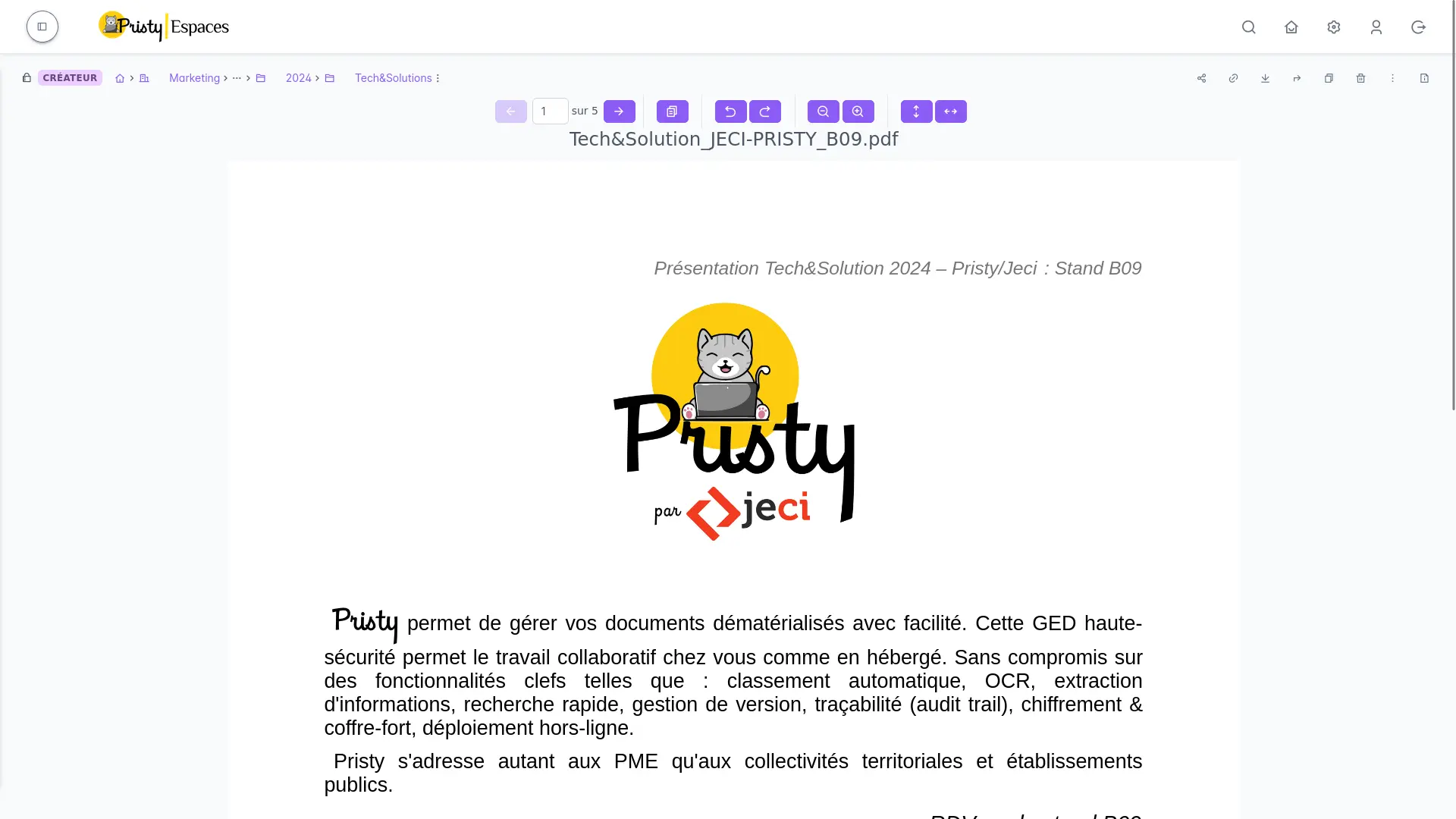
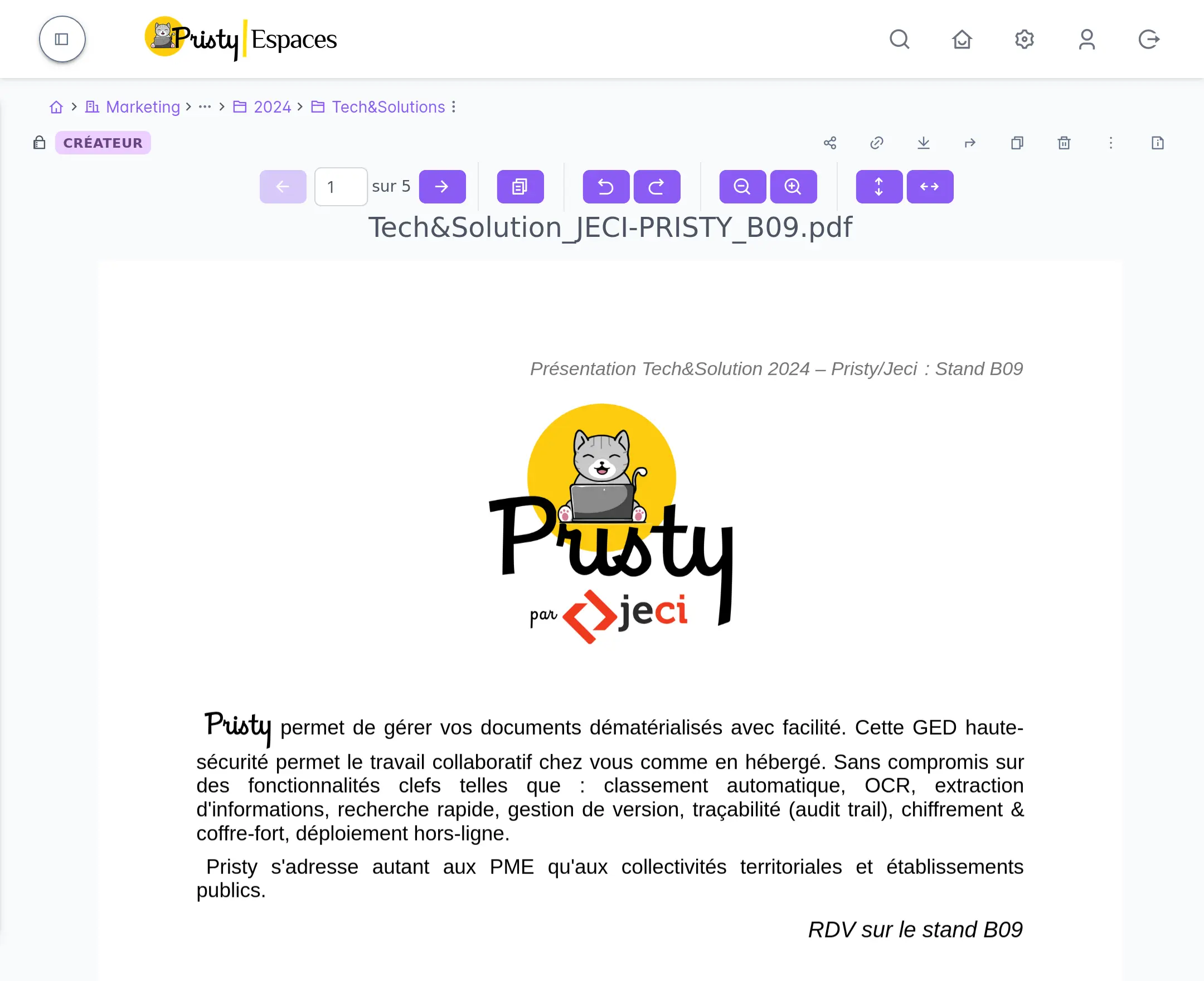
One of the major improvements in this version is the introduction of a new PDF viewer that now allows smoother document viewing. File preview functionality has been added: it is now possible to view a document directly in the interface without opening a new window or tab. This evolution allows simplified navigation between documents, either by clicking or via keyboard shortcuts.
In addition to preview, the viewer now allows quick navigation from one page to another in PDF documents, while allowing page rotation and moving to the next document.
2. New views: compact and grid
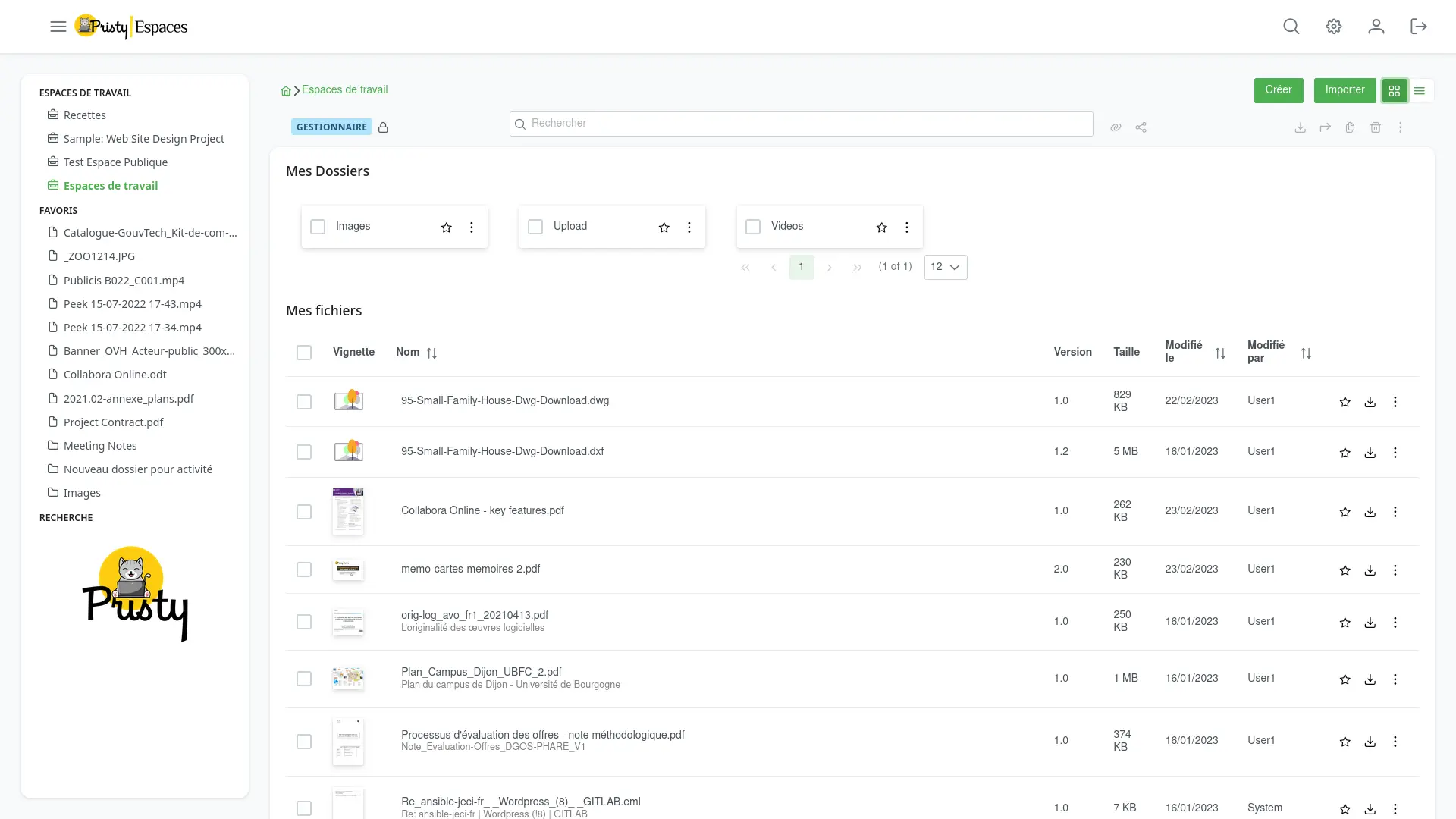
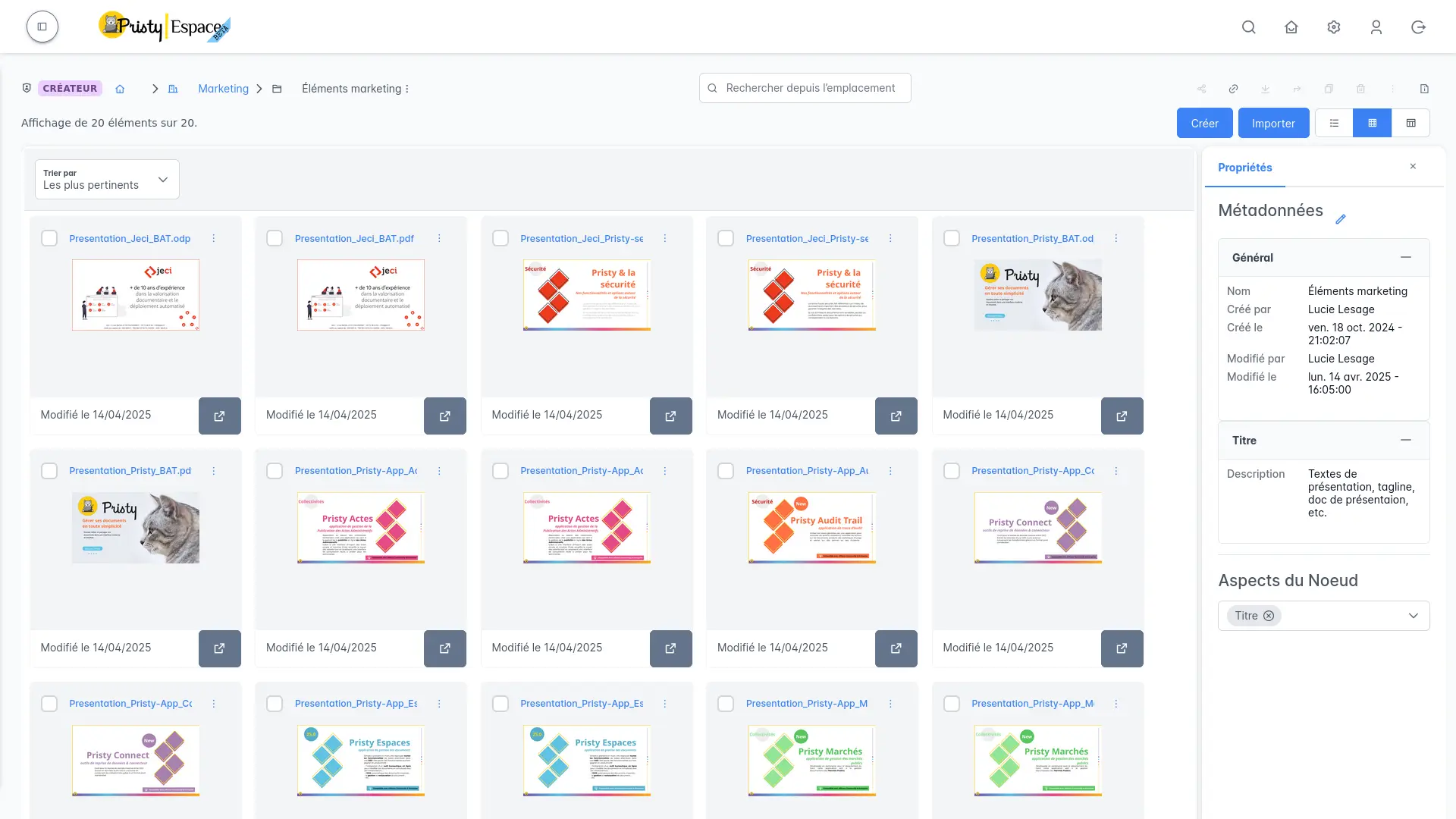
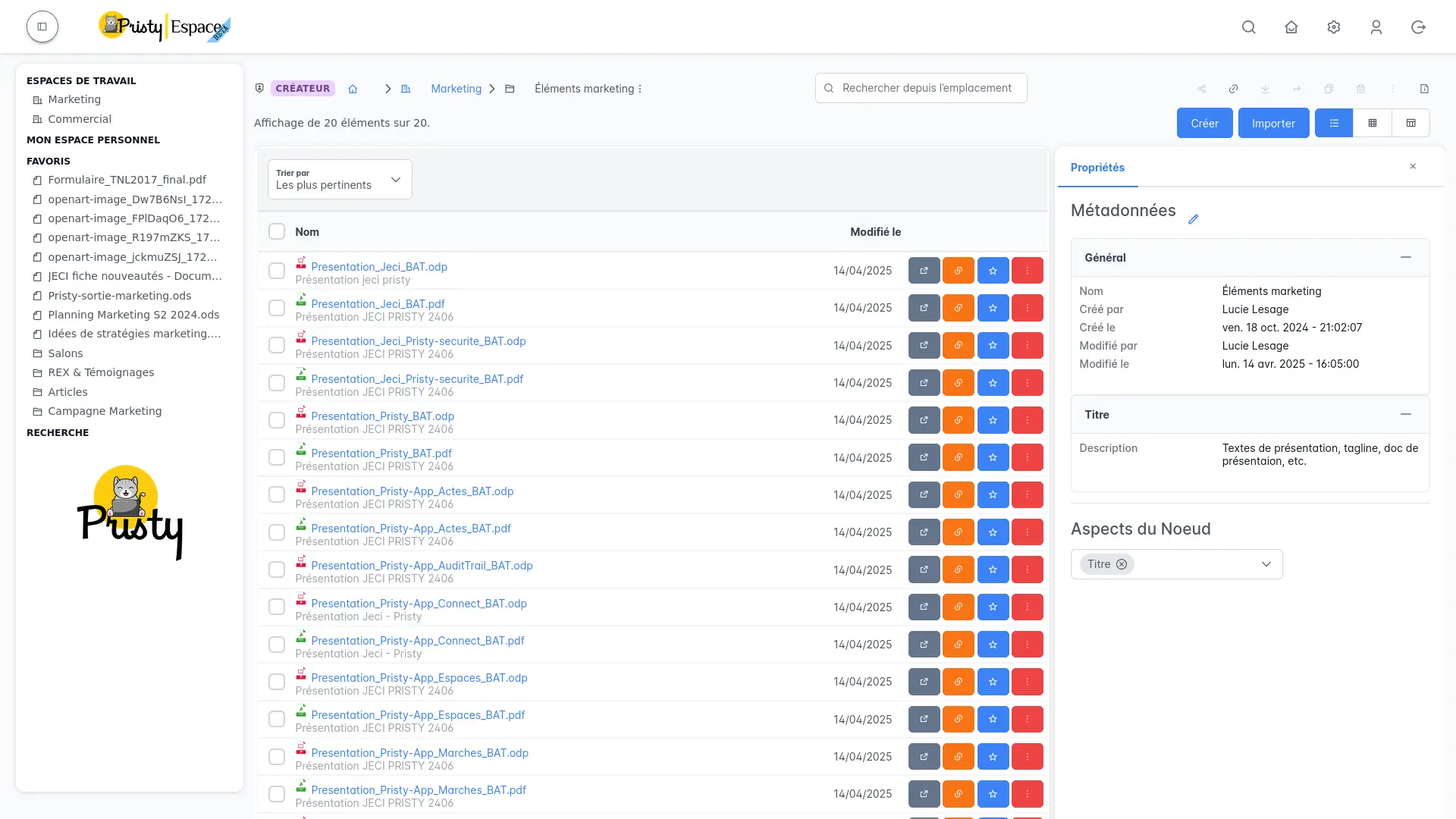
We have added two new views to make folder viewing easier. They adapt to everyone’s habits and uses:
- Compact view: this view is designed for small screens or very large folders, minimizing the space occupied on screen by the list of items.
- Grid view: a view that resembles a gallery or media display, with thumbnails of items. Ideal for viewing images or visual documents, or for quickly checking folder contents.
These two views are accompanied by smoother management of displayed information, to optimize document viewing while offering more flexibility.
3. Accessibility and responsive design
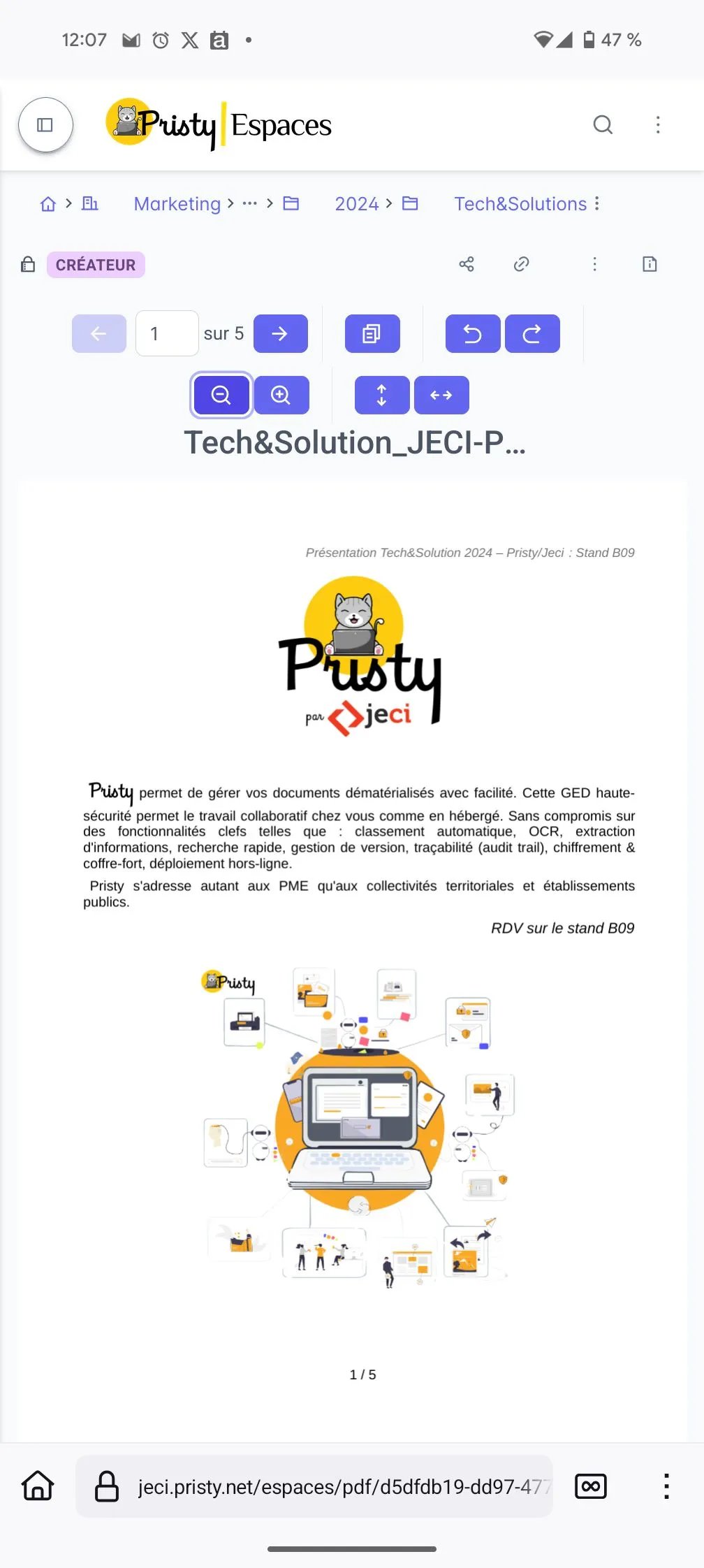
Version 25.0 of Pristy also includes many improvements in terms of accessibility and interface responsiveness. Interface elements, such as menus and information areas, are now easier to handle, particularly thanks to dynamic adaptation to window size. The menu, as well as collapsible areas, can be easily opened or closed, and the interface adapts more fluidly to different screen resolutions.
The design has been rethought for better mobile device compatibility and to offer a more intuitive browsing experience, regardless of the device used.
4. Keyboard shortcuts: simplified navigation
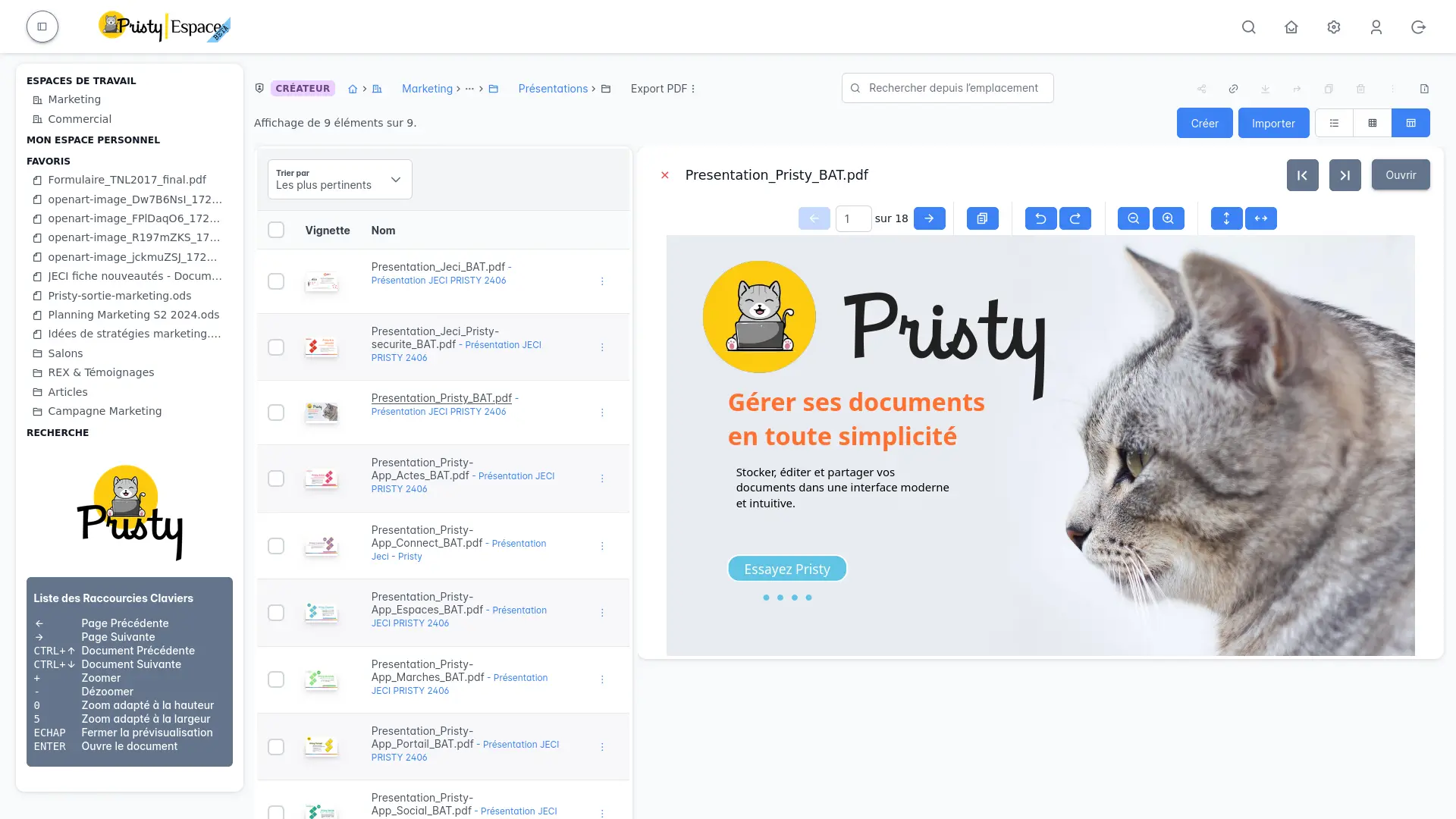
To further improve productivity and navigation fluidity, Pristy 25.0 integrates new keyboard shortcuts allowing you to move quickly between different folder elements, or to launch certain common actions without using the mouse. This allows users to save time and optimize their experience.
5. Improved search and filters
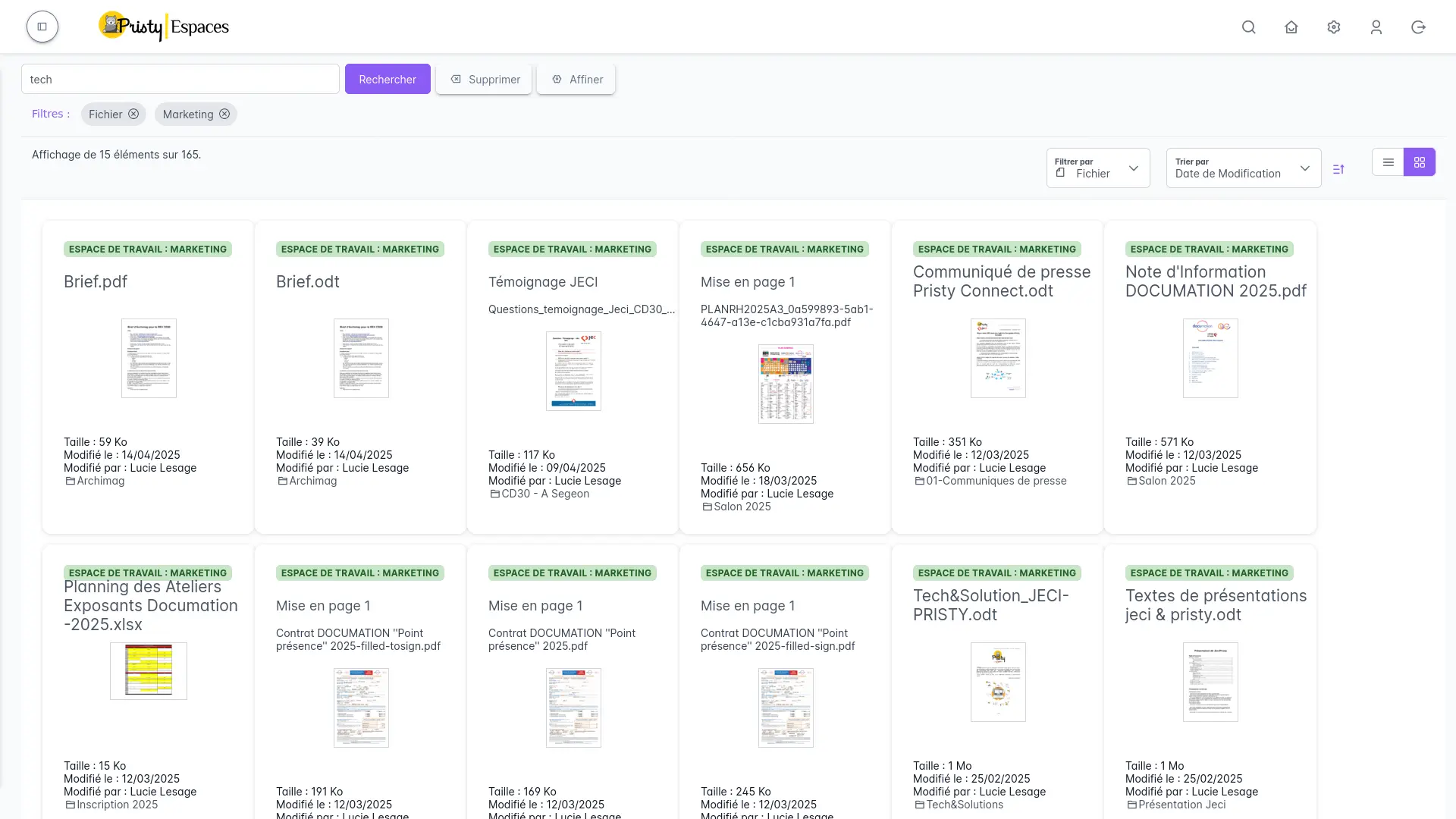
We have also improved search within Pristy. The filter and sort area has been enriched to allow faster and more precise sorting of folders and files. It is now possible to quickly sort items by folder, file, or by relevance. These improvements help to better target the information sought and speed up the viewing process.
Pristy 25.0 thus introduces significant improvements to make the tool even more accessible, responsive and efficient, while placing the user at the center of concerns.
Discover the other new features of this version in our articles dedicated to new applications and specific improvements to existing modules:
Questions?
Contact us
The information collected on this form are saved in a file processed by Jeci (16 Rue du Cap Vert - 21800 Quetigny, info@jeci.fr, +33 9 72 38 21 92) in order to respond to your request for contact. To find out more about the management of your personal data and to exercise your rights, please refer to the notice attached to this link. The data marked with an asterisk in the questionnaire must be provided. Otherwise we will not be able to contact you. By filling in this form, you agree to the information entered being used for the purpose of the contact request.
Phone
09 72 38 21 92